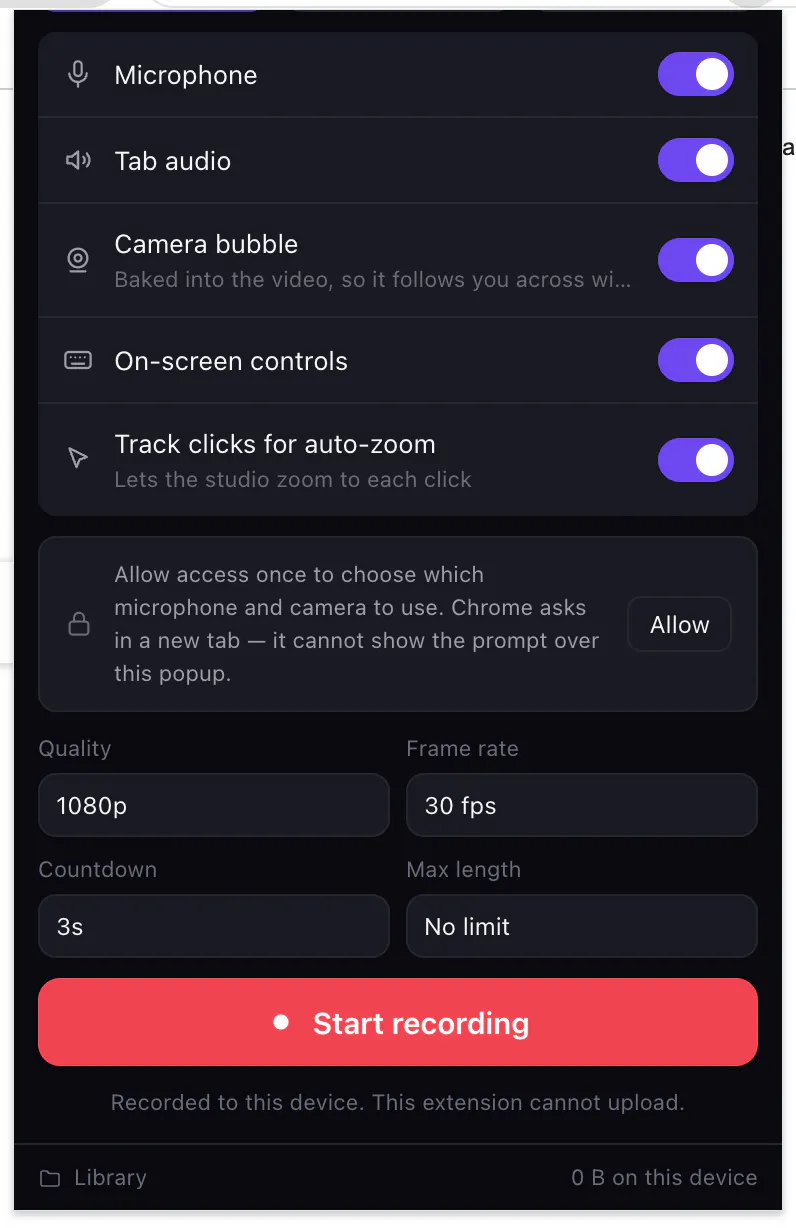
Every screen recorder promises not to misuse your recordings. Screen Awesome can't: it requests zero host permissions, so Chrome itself blocks it from reaching any server. Check it in chrome://extensions before you install. Record a tab, screen or camera to MP4. Auto-zoom glides a virtual camera to every click. Screenshot a region or a full scrolling page. Annotate with arrows, blur, redaction, step counters and text — all editable vectors. Free, unlocked, no account, no watermark.
Hey Product Hunt 👋
I built Screen Awesome after recording a bug report on a page full of client
data and realising I had no idea where that video was going.
Every capture extension has a privacy policy. Screen Awesome has a limitation
instead: host_permissions is empty in its manifest, and Chrome will not let an
extension with no host permissions make a request to any server. No account, no
telemetry, no sync — not because I promise not to, but because there is nothing
in the code that could. You can verify it before installing: chrome://extensions
→ Screen Awesome → Site access: none.
The other half of it is that everything is unlocked. Arrows, blur and redaction,
step counters, speech bubbles, crop, text in any system font — the tools that
are usually the paid tier. Annotations stay as vectors, so you can move,
restyle, re-edit or undo any of them later.
Three bits I'm proud of:
• Auto-zoom — while you record a tab it samples your clicks, then the studio
replays the footage through a virtual camera that glides in on each one.
Preview it live, switch it off, or bake it into the export.
• MP4 out wherever Chrome can encode it, so the file drops straight into Slack,
Docs or Premiere with no conversion step. WebM and GIF export too.
• Full-page screenshots that scroll and stitch — including the fixed
header/sidebar handling that normally stripes the image.
Honest limits: Chrome and Chromium only for now, no Firefox or Safari. Most of
my testing has been on Windows. And because everything is local, uninstalling
deletes your captures — bulk-download first.
It's free, there's no paid tier, and I'm not planning one.
What I'd love your take on: does "verifiable" land better than "trust us" for
you? And if you make screencasts often — what's the one thing your current tool
still makes you do by hand?
— Nitin
Love that you can verify the zero-permissions claim in chrome://extensions before installing. The auto-zoom that follows every click feels like actual thoughtful craft, not a checkbox feature.
This is a very thoughtful approach to privacy. Verifiable definitely lands better than "trust us" because users can confirm the limitation themselves instead of relying on another policy page.
The combination of zero host permissions. Great work, Nitin, and congratulations on the launch!
Mac users have Quick Time for screen recording. It's easy to use and free. Apple has an emphasis on security. What makes your product different?
Verifiable lands better, but the claim has a shelf life. Empty host_permissions is true today and Chrome auto updates extensions, so 1.4 can quietly add one and nobody checks chrome://extensions twice. If you want it to hold, publish the manifest diff with every release and link it from the store listing, that's the thing someone can keep checking without trusting you. The one I still do by hand is re-recording a whole take because a single sentence came out wrong.
I have tried multiple times to use this tool for recording purposes but have not been able to start. Would you please check the issue? I am using a Mac
.
About Screen Awesome on Product Hunt
“The free screen recorder that cannot upload your video”
Screen Awesome launched on Product Hunt on August 4th, 2026 and earned 142 upvotes and 7 comments, placing #7 on the daily leaderboard. Every screen recorder promises not to misuse your recordings. Screen Awesome can't: it requests zero host permissions, so Chrome itself blocks it from reaching any server. Check it in chrome://extensions before you install. Record a tab, screen or camera to MP4. Auto-zoom glides a virtual camera to every click. Screenshot a region or a full scrolling page. Annotate with arrows, blur, redaction, step counters and text — all editable vectors. Free, unlocked, no account, no watermark.
Screen Awesome was featured in Chrome Extensions (52.9k followers) on Product Hunt. Together, these topics include over 16.3k products, making this a competitive space to launch in.
Who hunted Screen Awesome ?
Screen Awesome was hunted by Nitin Viras. A “hunter” on Product Hunt is the community member who submits a product to the platform — uploading the images, the link, and tagging the makers behind it. Hunters typically write the first comment explaining why a product is worth attention, and their followers are notified the moment they post. Around 79% of featured launches on Product Hunt are self-hunted by their makers, but a well-known hunter still acts as a signal of quality to the rest of the community. See the full all-time top hunters leaderboard to discover who is shaping the Product Hunt ecosystem.
Want to see how Screen Awesome stacked up against nearby launches in real time? Check out the live launch dashboard for upvote speed charts, proximity comparisons, and more analytics.


 Nitin Viras