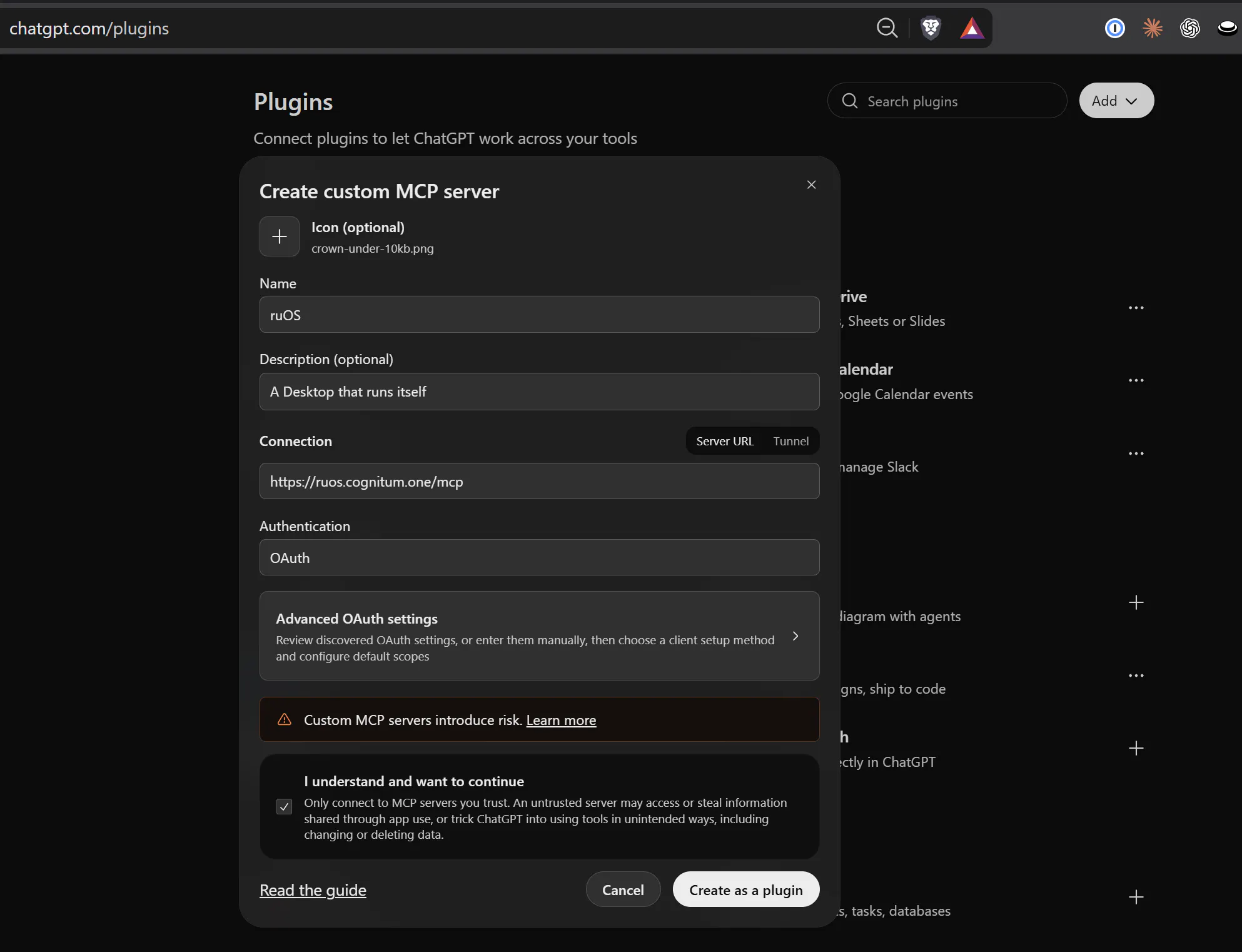
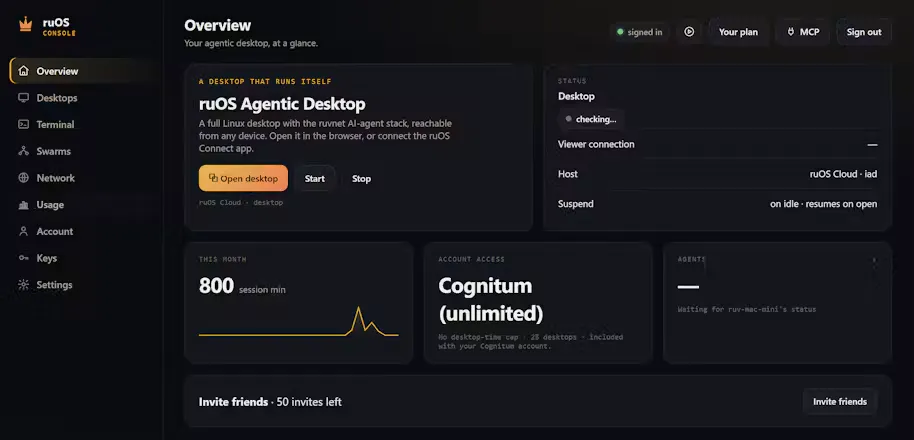
ruOS is a private cloud desktop with an AI team built in. Ask for research, writing or code and the agents (Claude Code, Codex, ruflo swarms) do it while you watch or step away. Opens in any browser on Mac, iPad or Chromebook, nothing to install. Files and AI memory persist across devices. Power users get a real Linux box plus an MCP server, so ChatGPT or Claude can drive it. Try ruOS Lite free in seconds, no sign-up.
Hi Product Hunt, rUv here.
I build open-source agent tooling (ruflo, ruvector, AgentDB). The recurring friction was never the models, it was the box they run on: every agent workflow meant provisioning a machine, installing a dozen CLIs, wiring credentials, then babysitting it from one laptop.
ruOS is my answer: a private cloud desktop that boots with the whole stack preinstalled and signed in. Claude Code, Codex, ruflo agent swarms, ruvector self-learning memory and VS Code are ready the moment you open it. Ask for research, writing or code and a team of agents does the work while you watch, or close the tab and come back to finished output on any device.
What's worth trying:
- ruOS Lite: a real browser desktop in about a second, no sign-up
- Persistence: files, sessions and agent memory carry across Mac, iPad and laptop
- MCP control: ChatGPT, Claude and Claude Code can drive the desktop through the ruOS connector, and payments always wait for you
Try Lite free and tell me the first job you'd hand it. I'm here all day for questions and feedback.
Congrats Reuven and team. This one is big...so much bigger than it appears.
Grok Bot and ChatGPT Dots proved people want agents with their own cloud computer. But each one only runs its own vendor's models.
ruOS gives you an agent desktop with the most powerful open source stack on the planet, all preinstalled and configured. Claude Code, Codex and ruflo swarms run side by side on a real Linux box. You can watch every step the agents take. And you can try it free in a browser with no signup.
I've been using ruflo for months. Having it set up and running in a cloud desktop in minutes is a big deal. Now I can run always on agents, especially for software dev, without taking up my limited local resources. Upvoted.
Howdy!
This looks interesting. Is this largely a browser based VM that hosts a developer portal/IDE? Is it for cloud usage or can you use it on your local system or both?
Congrats on the launch!
The persistence across devices is what I'd love to use, since losing agent sessions when switching machines is really starting to annoy me.
How is the MCP access scoped? Can you limit what the AI is allowed to touch inside the desktop?
Hey Product Hunt! I'm Martin, on the Cognitum One team.
I've been testing ruOS for weeks before launch, and what still gets me is how fast it is to go from nothing to working. You open a browser tab and there's a full desktop with Claude Code, Codex and ruflo agents already set up and signed in.
I can hand it a task, close my laptop, and come back later to the finished work, with all my files still there.
It's the first time running a team of AI agents has felt simple instead of a weekend of setup.
Congrats to ruv and the whole team on launch day! Try ruOS Lite (no sign-up) and let us know what you build. Happy to help with any questions 🙌
Hi Product Hunt, Dragan here, Head of Agentic Quality Engineering at Cognitum One.
I've spent years watching teams get burned by agents that looked finished. The usual fix was a human re-checking everything, which erased the point of having agents. What changed my mind with ruOS was watching the work happen in a real desktop: the files are there, the terminal history is there, the agent's memory carries over. When something is done, you can see it's done, and when it isn't, you can see exactly where it stopped. That's the first setup where I'd confidently hand real work to a swarm and walk away.
A tip from the quality side: give each project its own desktop with only the apps and accounts that project needs. It keeps agents focused, makes their work easy to review, and limits the blast radius if one goes sideways. The enterprise version adds admin policy on top of that for teams in regulated environments.
Try ruOS Lite (free, in your browser, no sign-up) and tell me what you handed it and how it went. I'm around all day and happy to help you get the most out of it.
What's excited me most about this project is giving my lead agent/orchestrator scalability. Controlled parallel experimentation, cloned research variances, dedicated learning swarms with isolated context management, and on and on. The ruv stack being baked in, ruvector, ruflo, preset swarms or full customization, makes it very potent right out of the box. Start with one, build a fleet. Exciting times! Congratulations to the Cognitum.one team!
Excited to share RuOS with the Product Hunt community!
RuOS brings a full Linux desktop and the ruvnet AI-agent stack into a workspace you can access through your browser.
I’m part of the Cognitum One team, and I’d love to hear what you’re building with it.
Check out our RuOS videos to see the platform in action.
Questions and feedback are welcome, we're here to help!
I'm on the team at Cognitum One, and I wanted to share why ruOS matters to me personally.
I've spent the past year watching AI agents get really capable, and every time I tried to put one to real work I hit the same wall: it lived in someone else's cloud, on someone else's terms, and I couldn't see what it had done or why. That's fine for booking a dinner reservation, but not for anything I'd have to answer for.
What I wanted was simple. Give the agents a real computer, let me decide where it runs, set the rules for what they can touch, and show me a record of the work. And let me use more than one agent, because real work is a chain of specialists, not one assistant doing everything.
That's ruOS. It runs on infrastructure you control, works with the models you pick, and keeps context so long-running jobs pick up where they left off.
I'd love to hear what you'd want agents to do if you fully controlled the machine they ran on. Happy to answer any questions!
About ruOS on Product Hunt
“A cloud desktop where AI agents do the work for you”
ruOS launched on Product Hunt on October 6th, 2026 and earned 107 upvotes and 12 comments, placing #12 on the daily leaderboard. ruOS is a private cloud desktop with an AI team built in. Ask for research, writing or code and the agents (Claude Code, Codex, ruflo swarms) do it while you watch or step away. Opens in any browser on Mac, iPad or Chromebook, nothing to install. Files and AI memory persist across devices. Power users get a real Linux box plus an MCP server, so ChatGPT or Claude can drive it. Try ruOS Lite free in seconds, no sign-up.
ruOS was featured in Productivity (663.2k followers), Developer Tools (521.3k followers), Artificial Intelligence (481.3k followers) and GitHub (41.4k followers) on Product Hunt. Together, these topics include over 418.9k products, making this a competitive space to launch in.
Who hunted ruOS?
ruOS was hunted by Reuven Cohen. A “hunter” on Product Hunt is the community member who submits a product to the platform — uploading the images, the link, and tagging the makers behind it. Hunters typically write the first comment explaining why a product is worth attention, and their followers are notified the moment they post. Around 79% of featured launches on Product Hunt are self-hunted by their makers, but a well-known hunter still acts as a signal of quality to the rest of the community. See the full all-time top hunters leaderboard to discover who is shaping the Product Hunt ecosystem.
Want to see how ruOS stacked up against nearby launches in real time? Check out the live launch dashboard for upvote speed charts, proximity comparisons, and more analytics.


 Reuven Cohen