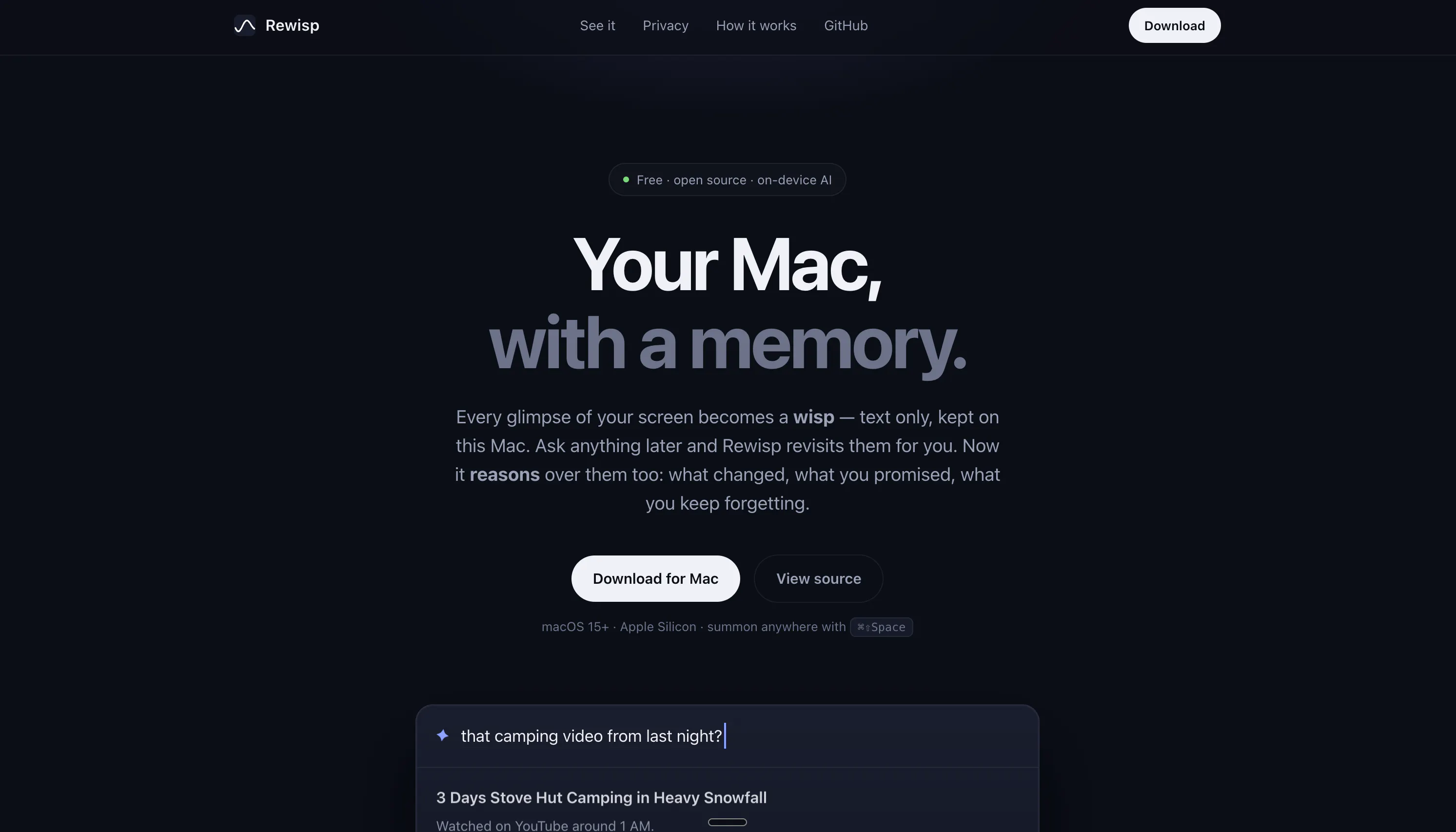
Rewisp gives your Mac a memory. It reads your screen text on-device and remembers it for you. Catches promises like "I'll send it Friday" and reminds you until it's done. Ask "what changed since Tuesday?" and see exactly what's new. Search by meaning, not just words. Tracks numbers like weight or grades over time. Fills forms from your saved details — never passwords. One quiet 9 PM summary each day. Fully private: screenshots never saved, only text stays on your Mac.
Hey everyone! 👋
I'm Yashmit, the maker of Rewisp.
I built this because I kept losing track of small things — a quiz due date buried in Canvas, a promise I made in a Slack message, an article I half-read and could never find again. Screenshots piled up, notes app got messy, and I still forgot things.
So I built Rewisp to do the remembering for me. It reads the text on your screen (not video, not screenshots saved to disk), keeps it searchable, and actually reasons over it. A few things I'm proud of:
It catches promises. Type "I'll send it Friday" anywhere, and Rewisp reminds you on the day — once, until it's done.
It tracks change. Ask "what's new on this page since Tuesday?" and it shows you exactly what moved.
It's private by construction. Screenshots are discarded the instant text is pulled out. Everything lives in one SQLite file on your Mac. Nothing leaves unless you ask it to.
It's free and open source. MIT license, on GitHub, no account needed.
This is a solo project, still early (v0.9), and I'm actively building it out. Would love to hear what you think — bugs, feature ideas, or just "this is useless, here's why" are all welcome.
Thanks for checking it out! 🙏
On-device screen reading is the right call, but I am curious about the practical cost — what does continuous OCR do to battery on a laptop that is unplugged all day? And can I exclude specific apps entirely (password managers, banking) so they never even hit the local index?
The promise tracking part is interesting. If I say "I'll send it Friday" on a Slack call but type nothing, it won't catch that right? Only what appears as text on screen? Just trying to understand where the boundary is.
The ambient memory idea feels useful for people who context-switch all day. The tricky part for me would be separating “I saw this once” from “this is worth remembering.” Are you doing any local filtering or recency scoring so old or accidental screen content does not pollute answers?
on-device is the right call for something reading everything on your screen all day, but on-device isn't automatically safe - if my Mac gets stolen or someone gets local access, is that stored text file encrypted at rest, or just sitting in plaintext waiting to be read?
Congrats on the launch and #5th rank on Sunday. Love the promise-catching idea. that's the stuff that always slips through the cracks. Does it handle commitments made in voice memos or dictated text, or only typed content?
As a fellow solo dev, the privacy-by-construction bit (text-only, screenshots discarded on the spot) is what makes this trustworthy vs a plain screen recorder. One thing I always hit shipping Mac apps though — the screen-recording permission prompt on first launch scares a chunk of users off. How are you handling that onboarding moment so people don't bounce before they get to the value?
Keeping everything on-device and never saving screenshots is the smart trust move here, a memory tool only works if you feel safe letting it watch.
What does the always-on screen reading do to battery and CPU on a laptop? I like the idea of asking "what changed since Tuesday" but I'd want to know the cost of having it watch everything all day.
Screenshots-never-saved plus everything staying local answers the privacy objection most people would raise first. Curious about the SQLite file itself though: is FileVault the only thing standing between it and a plaintext read, or is there another layer on top?
Really exciting to see Rewisp — an ambient memory for your Mac live today. Big congratulations to everyone behind it! 🚀🚀
Would love a way to mark something as "do not track" when I'm working on sensitive stuff like medical forms or legal docs. A quick keyboard shortcut to pause Rewisp for 15 or 30 minutes would feel really natural and keep the privacy promise even stronger.
The semantic search feels surprisingly accurate for just text matching, and catching commitments like "I'll send it Friday" actually held up across a few days. The nightly summary at 9 PM is a nice touch without being noisy.
The "what changed since Tuesday" search actually pulled up stuff I'd completely forgotten about scrolling through, which was a nice surprise. The on-device-only approach makes me feel way better about letting it read everything on my screen.
Love that it stays on-device and never saves screenshots. One thing I'd really appreciate is a way to exclude specific apps or windows from being read, like when I'm in a video call or working on something sensitive but unrelated to what I want tracked. That kind of granular control would make this feel truly mine.
The on-device text parsing with no screenshot storage is such a thoughtful privacy choice. Love that they figured out how to make it genuinely useful without crossing that line.
The promise-catching feature is probably the most useful detail here. small commitments like "I'll send it Friday" are exactly the kind of thing that disappears between chats, tabs, and notes, even though they often matter more than the tasks we formally write down.
I also like the privacy model: extracting text, immediately discarding screenshots, and keeping everything in one local SQLite file feels much easier to trust. Curious how Rewisp distinguishes a real commitment from casual language or quoted text without creating too many false reminders :)
Caught me the moment I told someone I'd send a draft Friday. Searched by meaning and actually found that Slack thread from last week. Quiet little tool, feels right at home on the menu bar.
the promise-catching and "what changed since Tuesday" bits are the sell for me over a plain screenshot recorder. one solo-dev question: months of full screen text in one SQLite file, does that stay fast to search, or do you end up needing to prune/summarize older entries once it's been running a while?
About Rewisp on Product Hunt
“See it once. Ask forever.”
Rewisp launched on Product Hunt on July 19th, 2026 and earned 185 upvotes and 40 comments, placing #5 on the daily leaderboard. Rewisp gives your Mac a memory. It reads your screen text on-device and remembers it for you. Catches promises like "I'll send it Friday" and reminds you until it's done. Ask "what changed since Tuesday?" and see exactly what's new. Search by meaning, not just words. Tracks numbers like weight or grades over time. Fills forms from your saved details — never passwords. One quiet 9 PM summary each day. Fully private: screenshots never saved, only text stays on your Mac.
Rewisp was featured in Productivity (664.7k followers), User Experience (369.5k followers), GitHub (41.5k followers) and Menu Bar Apps (12.3k followers) on Product Hunt. Together, these topics include over 247.4k products, making this a competitive space to launch in.
Who hunted Rewisp?
Rewisp was hunted by Yashmit Bhaverisetti. A “hunter” on Product Hunt is the community member who submits a product to the platform — uploading the images, the link, and tagging the makers behind it. Hunters typically write the first comment explaining why a product is worth attention, and their followers are notified the moment they post. Around 79% of featured launches on Product Hunt are self-hunted by their makers, but a well-known hunter still acts as a signal of quality to the rest of the community. See the full all-time top hunters leaderboard to discover who is shaping the Product Hunt ecosystem.
Want to see how Rewisp stacked up against nearby launches in real time? Check out the live launch dashboard for upvote speed charts, proximity comparisons, and more analytics.

 Yashmit Bhaverisetti