This product was not featured by Product Hunt yet. It will not be visible on their landing page and won't be ranked (cannot win product of the day regardless of upvotes).
Reminder™ v1.1 Daily Control System
A clean Notion task management and follow-up system
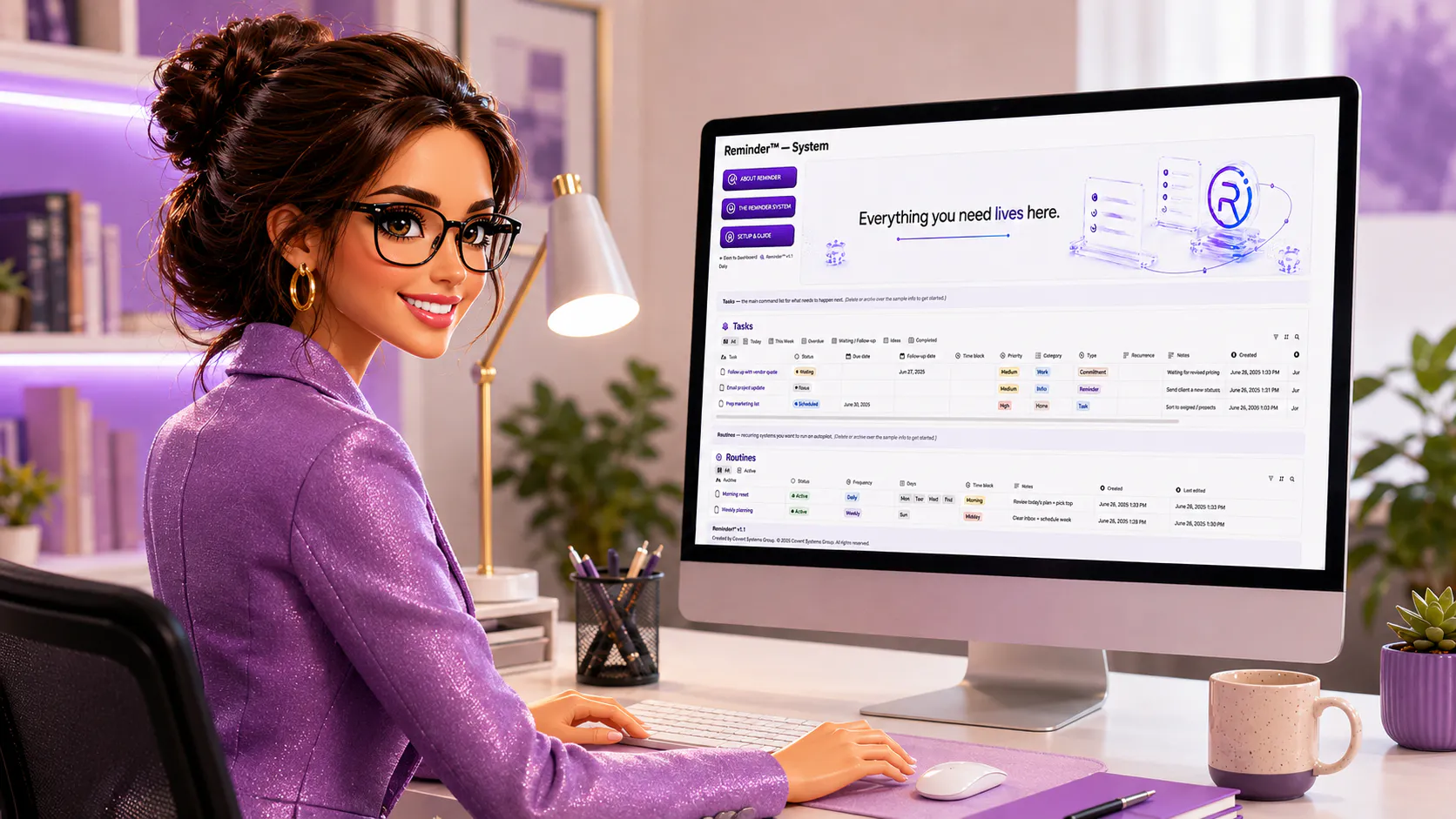
Reminder™ v1.1 Daily is a Notion task management and follow-up template built for the things you cannot afford to forget. Designed for busy professionals, entrepreneurs, consultants, students, service providers, and anyone managing too many moving pieces, Reminder™ gives you one clean place to organize tasks, follow-ups, routines, deadlines, notes, and daily responsibilities.
Reminder™ is a simple Notion reminder system built for real life — full minds, messy desks, busy days, follow-ups, routines, deadlines, and all the things we keep trying to remember on our own.
It was created because trying to carry everything in your head is exhausting. Reminder™ gives you one calm place to put things down, check what needs attention, reset when the day changes, and stay supported without turning organization into another overwhelming task.
It is practical, steady, and easy to start with — a softer landing place for people who are doing a lot, caring about a lot, and need structure that helps them breathe.
The Notion setup is genuinely clean and the daily control section actually feels useful instead of just another pretty template. Wish the follow-up view had a way to filter by priority out of the box though.
How does this compare to just using Notion's built-in reminders and recurring tasks, since it seems like the core functionality overlaps? Also curious if the daily view pulls in overdue items automatically or if that has to be set up manually.
The follow-up view is genuinely smart, surfacing stale tasks without making me dig through filters. That kind of quiet utility is what separates a thoughtful template from a glorified checklist.
how does this actually notify you when something is due, since its just a notion template and notion itself doesnt have native reminders or push alerts built in?
The daily inbox view feels really solid. I tossed in a bunch of recurring tasks and the follow-up reminders actually stayed visible instead of getting buried.
The daily view keeps things simple without feeling cramped, and having follow-ups in the same place as tasks actually makes me check them. Solid template for anyone juggling too many moving pieces.
About Reminder™ v1.1 Daily Control System on Product Hunt
“A clean Notion task management and follow-up system ”
Reminder™ v1.1 Daily Control System was submitted on Product Hunt and earned 3 upvotes and 7 comments, placing #158 on the daily leaderboard. Reminder™ v1.1 Daily is a Notion task management and follow-up template built for the things you cannot afford to forget. Designed for busy professionals, entrepreneurs, consultants, students, service providers, and anyone managing too many moving pieces, Reminder™ gives you one clean place to organize tasks, follow-ups, routines, deadlines, notes, and daily responsibilities.
Reminder™ v1.1 Daily Control System was featured in Productivity (663.6k followers), Task Management (84.3k followers) and Notion (2.3k followers) on Product Hunt. Together, these topics include over 186.6k products, making this a competitive space to launch in.
Who hunted Reminder™ v1.1 Daily Control System?
Reminder™ v1.1 Daily Control System was hunted by TW. A “hunter” on Product Hunt is the community member who submits a product to the platform — uploading the images, the link, and tagging the makers behind it. Hunters typically write the first comment explaining why a product is worth attention, and their followers are notified the moment they post. Around 79% of featured launches on Product Hunt are self-hunted by their makers, but a well-known hunter still acts as a signal of quality to the rest of the community. See the full all-time top hunters leaderboard to discover who is shaping the Product Hunt ecosystem.
Want to see how Reminder™ v1.1 Daily Control System stacked up against nearby launches in real time? Check out the live launch dashboard for upvote speed charts, proximity comparisons, and more analytics.

 TW
TW