A local-first research workspace for Mac. Read papers, manage sources, take markdown notes, cite evidence, and turn literature into structured writing — instead of juggling Zotero, Obsidian, PDF readers and writing apps.
Hey Product Hunt 👋 — back again.
Since our last launch, the thing I kept hearing was: "my notes are stuck in their own little world." So this update fixes exactly that.
note.md already stored everything as plain Markdown in real folders. We've now restructured the vault hierarchy so it's clean enough to hand straight to an AI. Point Claude at it through the Filesystem connector and your whole research vault (notes, sources, citations) becomes memory it can actually read. Not raw chat history. Grounded, cited memory, with receipts.
Because it's just files on disk, this isn't a Claude-only trick. Any AI that can read a local filesystem works. Your second brain stays yours, in an open format, and now your AI can read it too.
Would love to hear how you'd wire it into your own setup 🙏
Memory become the center of true knowledge management, this is a bold move to build around it especially regarding data privacy. Just downloaded!
The local-first angle is what makes this interesting to me — most "AI memory" tools quietly ship your notes to someone's cloud. Quick question: is the LLM itself running locally too, or local storage + a cloud model? That distinction is the whole ballgame for anyone with notes they can't send off-device.
the "my notes are stuck in their own little world" line is the actual reason people churn from every notes app eventually. notion is great until you realize your 4 years of work won't move anywhere intact.
real markdown in real folders is the only durable answer. did this myself 18 months ago when i moved off notion to obsidian. 3 hours of cleanup, then the files just lived where they should have lived from day one.
what's your stance on linking between vaults? the part that breaks for me when files are local is when i want to reference something from project A in project B without copy-paste. how does note.md handle that?
Local LLM memory for notes is such a smart angle — most note tools either go fully cloud-based or stay completely dumb. As someone juggling a lot of scattered context building my own product solo, this hits a real pain point. Is the memory scoped per-document, or does it build a broader connected graph across all your notes over time?
Curious how the LLM memory holds up as a vault gets large. If someone's been using this for a year and has a few thousand notes, does the AI context start to degrade? Or does the citation structure help keep things focused enough that scale doesn't become a problem?
The plain-markdown-vault-as-AI-memory angle is the part I actually trust here, since it stays as real files on disk instead of a proprietary store. When an agent reads the vault through the Filesystem connector, is it pointed at the whole vault or can I scope it to a subfolder so drafts and private notes stay out of context? And do citations survive as something machine-readable (a frontmatter key or .bib), or are they markdown links the model has to re-parse every time?
the vault-as-LLM-memory angle is really smart. most AI note tools try to be the AI themselves — this just makes your existing research available to whatever model you're already using. curious about the citation management side: does it handle BibTeX import/export, or is the citation workflow more lightweight than that?
Oh my gosh, I've struggled with citation managers for so long! And this is built right into Notes. It's native to the Mac, too, so it runs smoothly. Thank you!
Love the local-first approach — keeping your notes as LLM memory is a genuinely clever solve for the 'AI doesn't know my work' problem. Does note.md support linking between docs to build a knowledge graph over time?
Congrats on the launch! Keeping the vault as an open, flat directory of plain Markdown files is a huge win for portability. I'm curious about the background file-watching mechanics. If a user modifies their .md files or directory structure externally via terminal or another editor like Obsidian, note.md seamlessly detects and re-indexes those changes on the fly, or is a manual re-sync required to keep the reference manager and source connections aligned?
Research is ultimately about building knowledge, not just taking notes. How did that idea shape the design of note.md?
the support-vs-contradiction scan is the sharp bit — embeddings sit 'x causes y' next to 'x doesn't', so retrieval finds candidates but stance needs an nli pass on top. on-device per claim is the real cost.
Huge congrats on the update! Keeping the vault as plain Markdown files while opening it up to AI is a game-changer.
Since it reads the folder structure directly, do you have any tips for how to organize notes to make it easiest for an agent like Claude to navigate?
There's a really interesting trust/transparency UX challenge here: when an LLM "remembers" from your notes, users need to understand the boundary between "this is my document" and "this is what the AI learned from it." The line gets blurry fast. Most knowledge tools either treat memory as a black box or overwhelm you with provenance metadata. How are you surfacing what's been indexed — especially for notes users might consider private?
Love the simple, no distractions approach with seemingly so many features that you progressively discover throughout exploring the app - feels very well thought out!
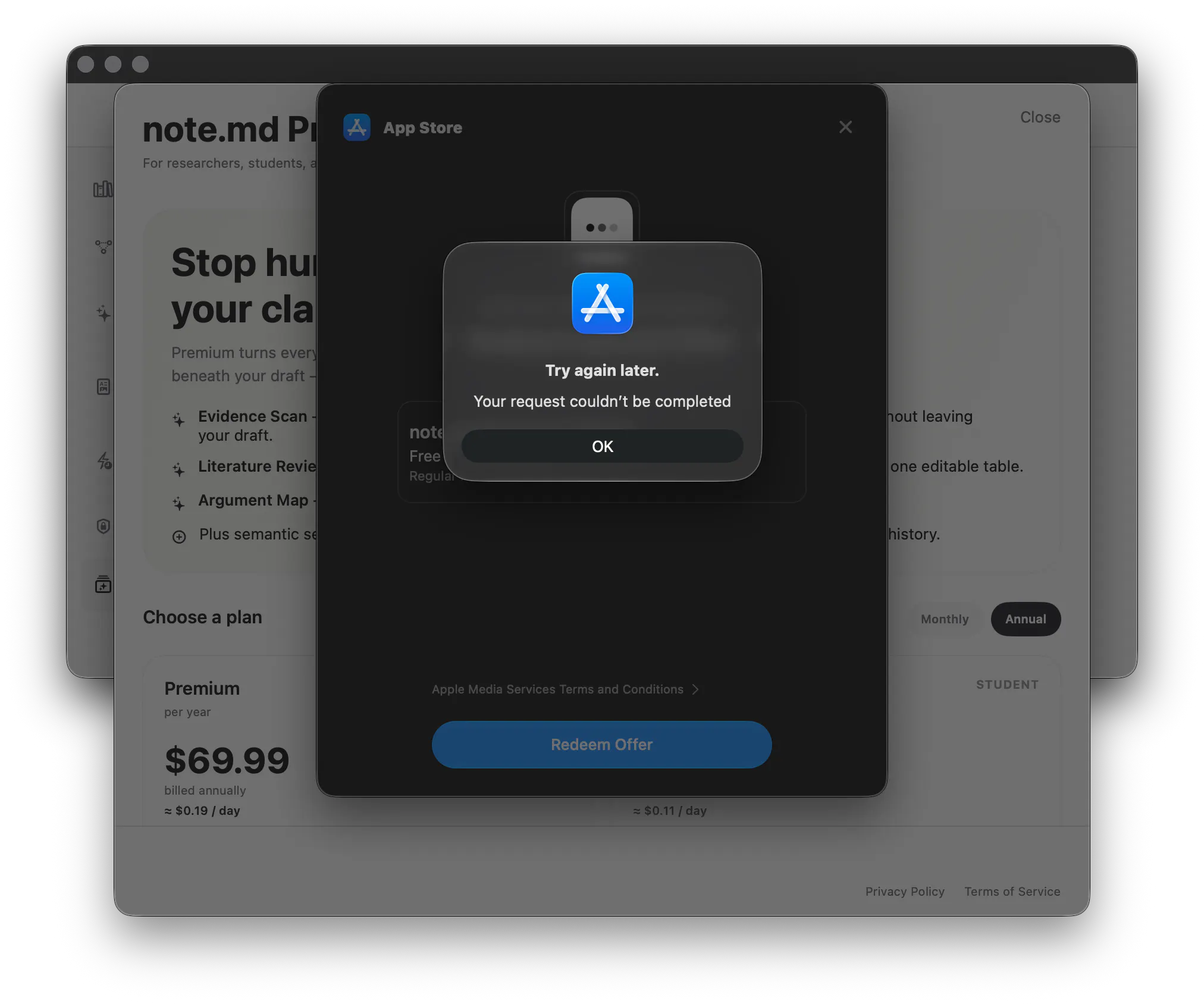
Also a heads up: tried using the `PRODUCTHUNT` code and kept running into this error. Any ideas as to why this could be?
Excited to give the full suite a try even if its only a limited free trial ((:
@andreaigner Congrats on the update! 🚀 Keeping the vault as plain Markdown while opening it up to AI is literally a game changer here. I'd definitely try to hook this up to a local LLM.
Just for quick idea: what about .aignore file to easily hide sensitive drafts or keys from the AI's view?
The interesting tension here is that "local LLM memory" means very different things depending on how retrieval actually works. Are you chunking and embedding the markdown files so the model can do semantic search across them, or is it more like context stuffing where relevant notes get injected into the prompt window at query time? That distinction matters a lot for how well it handles a large, messy note library versus a small tidy one. Also curious whether note.md watches files for changes and updates the index automatically, or whether syncing is a manual step.
Interesting one today! The "librarian not ghostwriter" line is the reason I'd try this, most of these tools fall over themselves to write for you instead:)
About note.md on Product Hunt
“your notes and research documentation now a local LLM Memory”
note.md launched on Product Hunt on June 26th, 2026 and earned 281 upvotes and 45 comments, earning #3 Product of the Day. A local-first research workspace for Mac. Read papers, manage sources, take markdown notes, cite evidence, and turn literature into structured writing — instead of juggling Zotero, Obsidian, PDF readers and writing apps.
note.md was featured in Writing (59.4k followers), Notes (8.4k followers) and Artificial Intelligence (482.6k followers) on Product Hunt. Together, these topics include over 152.5k products, making this a competitive space to launch in.
Who hunted note.md?
note.md was hunted by André Aigner. A “hunter” on Product Hunt is the community member who submits a product to the platform — uploading the images, the link, and tagging the makers behind it. Hunters typically write the first comment explaining why a product is worth attention, and their followers are notified the moment they post. Around 79% of featured launches on Product Hunt are self-hunted by their makers, but a well-known hunter still acts as a signal of quality to the rest of the community. See the full all-time top hunters leaderboard to discover who is shaping the Product Hunt ecosystem.
Want to see how note.md stacked up against nearby launches in real time? Check out the live launch dashboard for upvote speed charts, proximity comparisons, and more analytics.


 André Aigner