You're deep in code. A build kicks off. You switch tabs, check Slack, read docs—then wonder: "Wait, is it still compiling?" Notchification ends the guessing. A sleek progress bar appears right in your MacBook's notch when builds are running. Glance up. Know instantly. Get back to work. Works with the tools you already use: - Xcode - Android Studio - Claude Code CLI
You're deep in code. A build kicks off. You switch tabs, check Slack, read docs—then wonder:*"Wait, is it still compiling?"
Notchification ends the guessing. A sleek progress bar appears right in your MacBook's notch when builds are running. Glance up. Know instantly. Get back to work.
Works with the tools you already use:
- Xcode (Swift, Objective-C, C++) - Android Studio (Gradle builds) - Claude CLI (AI code generation)
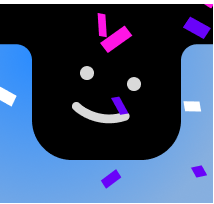
Each tool gets its own color. Multiple builds? They stack. When it's done, confetti falls from the notch. Satisfying.
Why?
The notch takes up screen space and does nothing. Your IDE's build indicator is buried in a corner you never look at. Notifications are noisy. You just want ambient awareness—not another distraction.
What you get
- Instant visibility — One glance tells you if builds are running - Smart detection — CPU-based monitoring, no false positives - Zero setup — Install, enable your tools, done - Delightful details — Animated waves, spring physics, celebration confetti - Lightweight — Menu bar app, stays out of your way - Privacy-first — No network access, no data collection
Who it's for
Developers who context-switch while waiting for builds. Stop alt-tabbing to check. Just look up.
Nice, love this one! Switching costs are so under-emphasized. With zero-employee models and solopreneuers vibe coding, being able to multi-task better is a huge win!
Hey Alexander, that moment of switching back to your IDE just to check if a build is still running hits close to home. Was there a day where you caught yourself doing that like ten times and thought wait, why am I breaking my focus just to see a progress bar?

You're deep in code. A build kicks off. You switch tabs, check Slack, read docs—then wonder:*"Wait, is it still compiling?"
Notchification ends the guessing. A sleek progress bar appears right in your MacBook's notch when builds are running. Glance up. Know instantly. Get back to work.
Works with the tools you already use:
- Xcode (Swift, Objective-C, C++)
- Android Studio (Gradle builds)
- Claude CLI (AI code generation)
Each tool gets its own color. Multiple builds? They stack. When it's done, confetti falls from the notch. Satisfying.
Why?
The notch takes up screen space and does nothing. Your IDE's build indicator is buried in a corner you never look at. Notifications are noisy. You just want ambient awareness—not another distraction.
What you get
- Instant visibility — One glance tells you if builds are running
- Smart detection — CPU-based monitoring, no false positives
- Zero setup — Install, enable your tools, done
- Delightful details — Animated waves, spring physics, celebration confetti
- Lightweight — Menu bar app, stays out of your way
- Privacy-first — No network access, no data collection
Who it's for
Developers who context-switch while waiting for builds. Stop alt-tabbing to check. Just look up.
Forgot to add a link to the website which has a small funny trailer: https://notchification.carrd.co/