This product was not featured by Product Hunt yet. It will not be visible on their landing page and won't be ranked (cannot win product of the day regardless of upvotes).
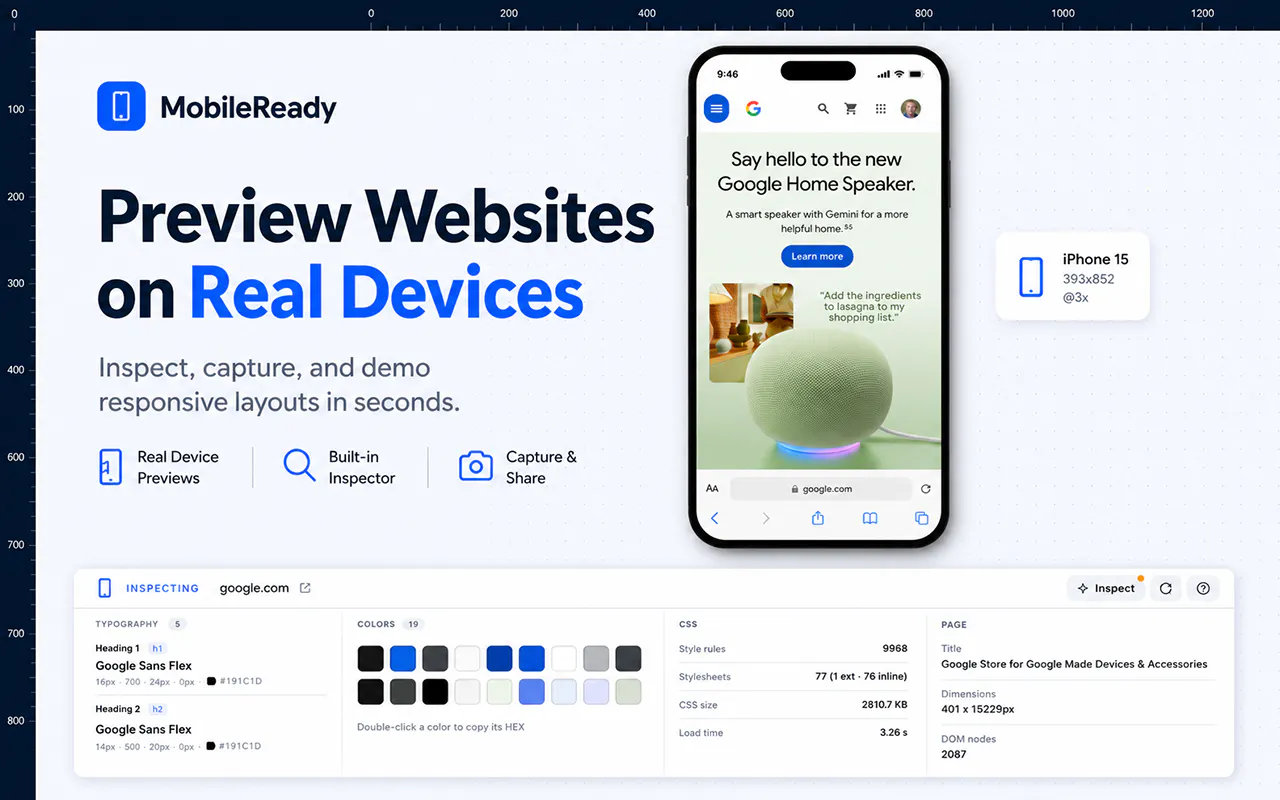
MobileReady lets developers, designers, marketers, and QA teams instantly preview any live website inside realistic mobile device frames directly in Chrome. Switch devices, inspect responsive layouts, compare designs, and catch mobile issues before your users do.
Hi everyone! 👋
I’m excited to finally share MobileReady with the Product Hunt community.
I’ve been building websites professionally for more than 20 years, and one thing always frustrated me: every responsive testing extension seemed to do one thing well, but I always needed three, four, or even five different extensions open to finish the job.
One extension let me preview mobile devices.
Another gave me alignment rulers.
Another measured spacing.
Another identified fonts.
Another extracted colors.
Another took high-quality screenshots.
I found myself constantly switching between tools, breaking my workflow, and wasting time.
So I decided to build the tool I always wished existed.
MobileReady brings everything together in one clean, beautiful interface, making responsive testing faster and much more enjoyable.
With MobileReady you can:
- Preview any live website inside realistic mobile device frames
- Measure spacing and alignment with built-in rulers and measurement tools
- Identify and copy color palettes directly from the mobile view
- Detect font families used on any page
- Experiment with live styling and instantly copy the generated CSS
- Capture high-definition screenshots
- Switch devices instantly without disrupting your workflow
…and this is only the beginning.
Version 1 is focused on creating a responsive testing experience that feels complete instead of forcing you to piece together multiple extensions. I already have a roadmap full of features based on ideas from my own daily development work and feedback from the community.
I’d genuinely love your thoughts:
• What feature would save you the most time?
• What’s missing from your current responsive testing workflow?
• If you could add one capability to MobileReady, what would it be?
Thank you for checking out MobileReady and supporting an independent developer. Your feedback will help shape where this goes next!
Does this work offline with local dev environments, or do I need to push changes to a live URL first to preview them in a device frame?
Does this work with password-protected staging sites, or do those URLs need to be publicly accessible for the preview frames to load?
About MobileReady on Product Hunt
“ Test any website on real device frames in seconds”
MobileReady was submitted on Product Hunt and earned 5 upvotes and 5 comments, placing #117 on the daily leaderboard. MobileReady lets developers, designers, marketers, and QA teams instantly preview any live website inside realistic mobile device frames directly in Chrome. Switch devices, inspect responsive layouts, compare designs, and catch mobile issues before your users do.
MobileReady was featured in Chrome Extensions (52.8k followers), Developer Tools (521.6k followers) and Web Design (9.3k followers) on Product Hunt. Together, these topics include over 109.3k products, making this a competitive space to launch in.
Who hunted MobileReady?
MobileReady was hunted by Artur Bobinski. A “hunter” on Product Hunt is the community member who submits a product to the platform — uploading the images, the link, and tagging the makers behind it. Hunters typically write the first comment explaining why a product is worth attention, and their followers are notified the moment they post. Around 79% of featured launches on Product Hunt are self-hunted by their makers, but a well-known hunter still acts as a signal of quality to the rest of the community. See the full all-time top hunters leaderboard to discover who is shaping the Product Hunt ecosystem.
Want to see how MobileReady stacked up against nearby launches in real time? Check out the live launch dashboard for upvote speed charts, proximity comparisons, and more analytics.

 Artur Bobinski