This product was not featured by Product Hunt yet. It will not be visible on their landing page and won't be ranked (cannot win product of the day regardless of upvotes).
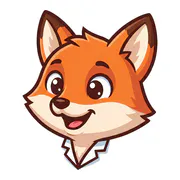
Describe a character once and the design is locked. Every pose, prop and animation after that is generated against it, so the mascot on your empty state is the same one on your error page. Connect it to Claude Code or Cursor over MCP and the files land in your repo. Exports are free and yours commercially.
Hi Product Hunt 👋
I kept hitting the same wall building apps: I wanted one character across the empty states, the onboarding, the error screens. Every AI image tool gave me a different character each time I asked. Not variations of one design, just different designs that happened to match the words.
So MascotLab locks the character. You describe it once, that render is
kept, and every pose, prop and animation afterwards is generated against it rather than from the description again. The mascot on your empty state and the one on your success screen are the same character because they came from the same reference, not from two similar sentences.
The part I use most is the MCP server. Connect it to Claude Code or Cursor and ask in plain English, and the PNGs and MP4s get written into your repo without leaving the terminal. That started as a convenience for me and turned into the reason I use it.
Being honest about the rough edges: generations take 10 to 40 seconds and animations a minute or two, so it is not instant. Animations need a subscription because video costs two orders of magnitude more to render than a still. And I cannot clear a trademark for you, so if a character is going to carry your brand, run a search before you commit.
Your first mascot is free. What I would genuinely like to know: where does it break for your app, and what pose did you need that it could not do?
No comment highlights available yet. Please check back later!
About MascotLab on Product Hunt
“your app's mascot, generated from your AI editor”
MascotLab was submitted on Product Hunt and earned 3 upvotes and 1 comments, placing #59 on the daily leaderboard. Describe a character once and the design is locked. Every pose, prop and animation after that is generated against it, so the mascot on your empty state is the same one on your error page. Connect it to Claude Code or Cursor over MCP and the files land in your repo. Exports are free and yours commercially.
MascotLab was featured in Design Tools (263.8k followers), Developer Tools (522.6k followers) and Artificial Intelligence (483k followers) on Product Hunt. Together, these topics include over 275.2k products, making this a competitive space to launch in.
Who hunted MascotLab?
MascotLab was hunted by Joel Mwaka. A “hunter” on Product Hunt is the community member who submits a product to the platform — uploading the images, the link, and tagging the makers behind it. Hunters typically write the first comment explaining why a product is worth attention, and their followers are notified the moment they post. Around 79% of featured launches on Product Hunt are self-hunted by their makers, but a well-known hunter still acts as a signal of quality to the rest of the community. See the full all-time top hunters leaderboard to discover who is shaping the Product Hunt ecosystem.
Want to see how MascotLab stacked up against nearby launches in real time? Check out the live launch dashboard for upvote speed charts, proximity comparisons, and more analytics.

 Joel Mwaka