This product was not featured by Product Hunt yet. It will not be visible on their landing page and won't be ranked (cannot win product of the day regardless of upvotes).
Full Page Screenshot
Capture a whole webpage in one click, then edit it
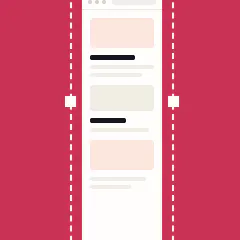
Captures a whole webpage in one click, then opens it in a built-in editor. Sticky headers appear once instead of repeating. Lazy-loaded images are waited for. Seams between strips are verified, not assumed. Seven annotation tools, including a blur written into the exported file. New in v3.0: Beautify frames and browser mockups. Free, no account, works offline.
Hi everyone, I'm Kaushik. I built this.
I thought capturing a whole webpage would be a weekend project. Scroll, snap,
scroll, glue the images together. It wasn't.
Almost none of the difficulty is in the screenshotting. A webpage isn't a
photograph. It's a live document that reacts to being scrolled, and the act of
capturing it changes what you're capturing. Sticky headers end up repeating
forty times down the image. Images that only load when you scroll to them come
out as grey boxes. Infinite feeds grow underneath you. Playing videos smear
across frames.
The part I'm most pleased with is invisible when it works. Where two captured
strips meet, the extension compares the overlapping region and re-captures if
they don't match. Scroll positions drift by a pixel or two for a dozen reasons,
and your eye is very good at spotting a repeated row of pixels through a line
of text.
v3.0 adds Beautify and browser frames, which turn a plain capture into
something that looks right in a slide or a blog post.
It's free, there's no account, and nothing you capture leaves your computer.
Happy to answer anything, especially if you find a page it handles badly.
No comment highlights available yet. Please check back later!
About Full Page Screenshot on Product Hunt
“Capture a whole webpage in one click, then edit it”
Full Page Screenshot was submitted on Product Hunt and earned 0 upvotes and 1 comments, placing #21 on the daily leaderboard. Captures a whole webpage in one click, then opens it in a built-in editor. Sticky headers appear once instead of repeating. Lazy-loaded images are waited for. Seams between strips are verified, not assumed. Seven annotation tools, including a blur written into the exported file. New in v3.0: Beautify frames and browser mockups. Free, no account, works offline.
Full Page Screenshot was featured in Chrome Extensions (52.8k followers), Design Tools (263.6k followers) and Productivity (663.9k followers) on Product Hunt. Together, these topics include over 234.2k products, making this a competitive space to launch in.
Who hunted Full Page Screenshot?
Full Page Screenshot was hunted by Kaushik Prasath. A “hunter” on Product Hunt is the community member who submits a product to the platform — uploading the images, the link, and tagging the makers behind it. Hunters typically write the first comment explaining why a product is worth attention, and their followers are notified the moment they post. Around 79% of featured launches on Product Hunt are self-hunted by their makers, but a well-known hunter still acts as a signal of quality to the rest of the community. See the full all-time top hunters leaderboard to discover who is shaping the Product Hunt ecosystem.
Want to see how Full Page Screenshot stacked up against nearby launches in real time? Check out the live launch dashboard for upvote speed charts, proximity comparisons, and more analytics.

 Kaushik Prasath