This product was not featured by Product Hunt yet. It will not be visible on their landing page and won't be ranked (cannot win product of the day regardless of upvotes).
Deepseek Harness Workbench
Transform your Deepseek-Harness into CURSOR like IDE
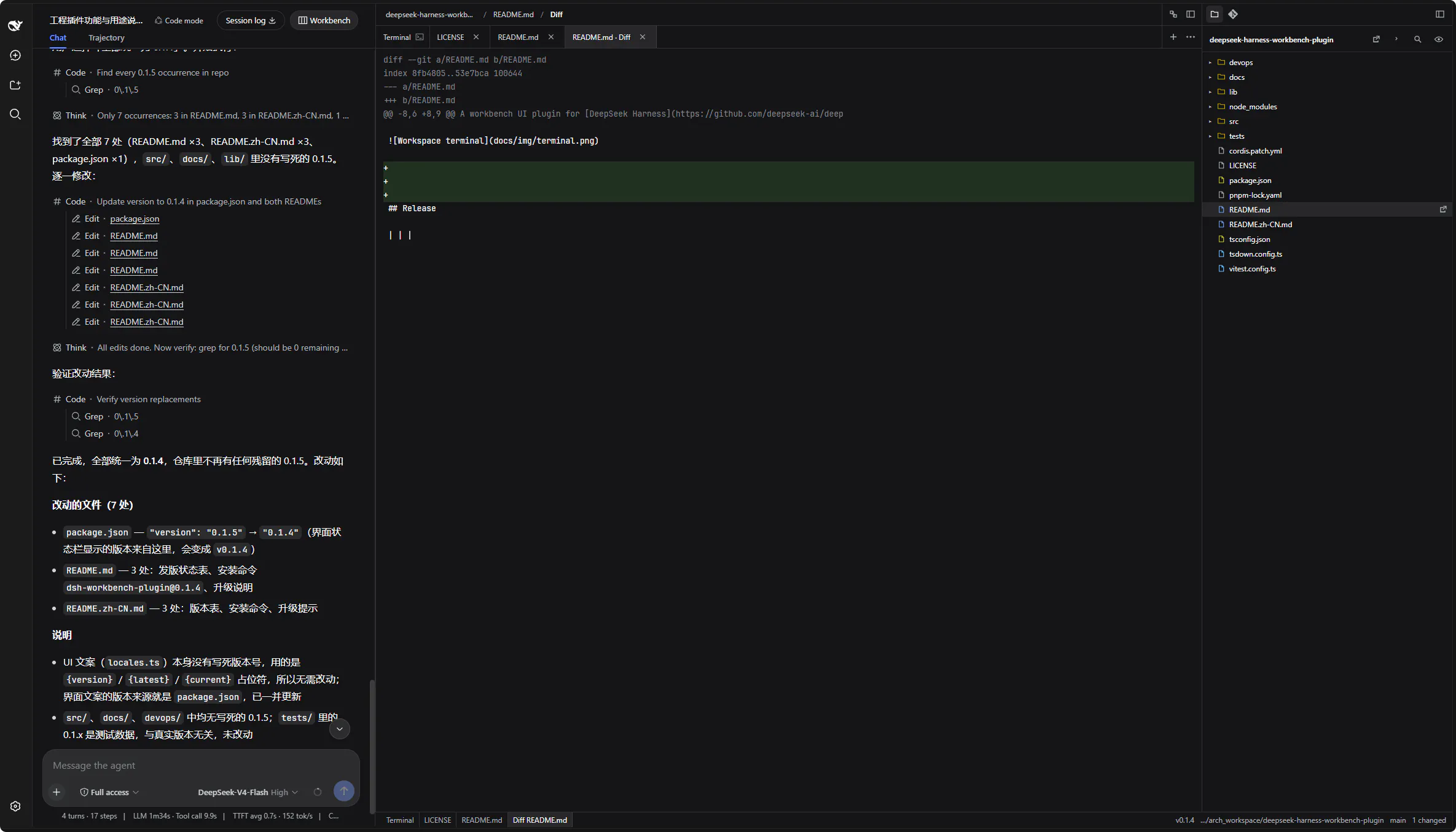
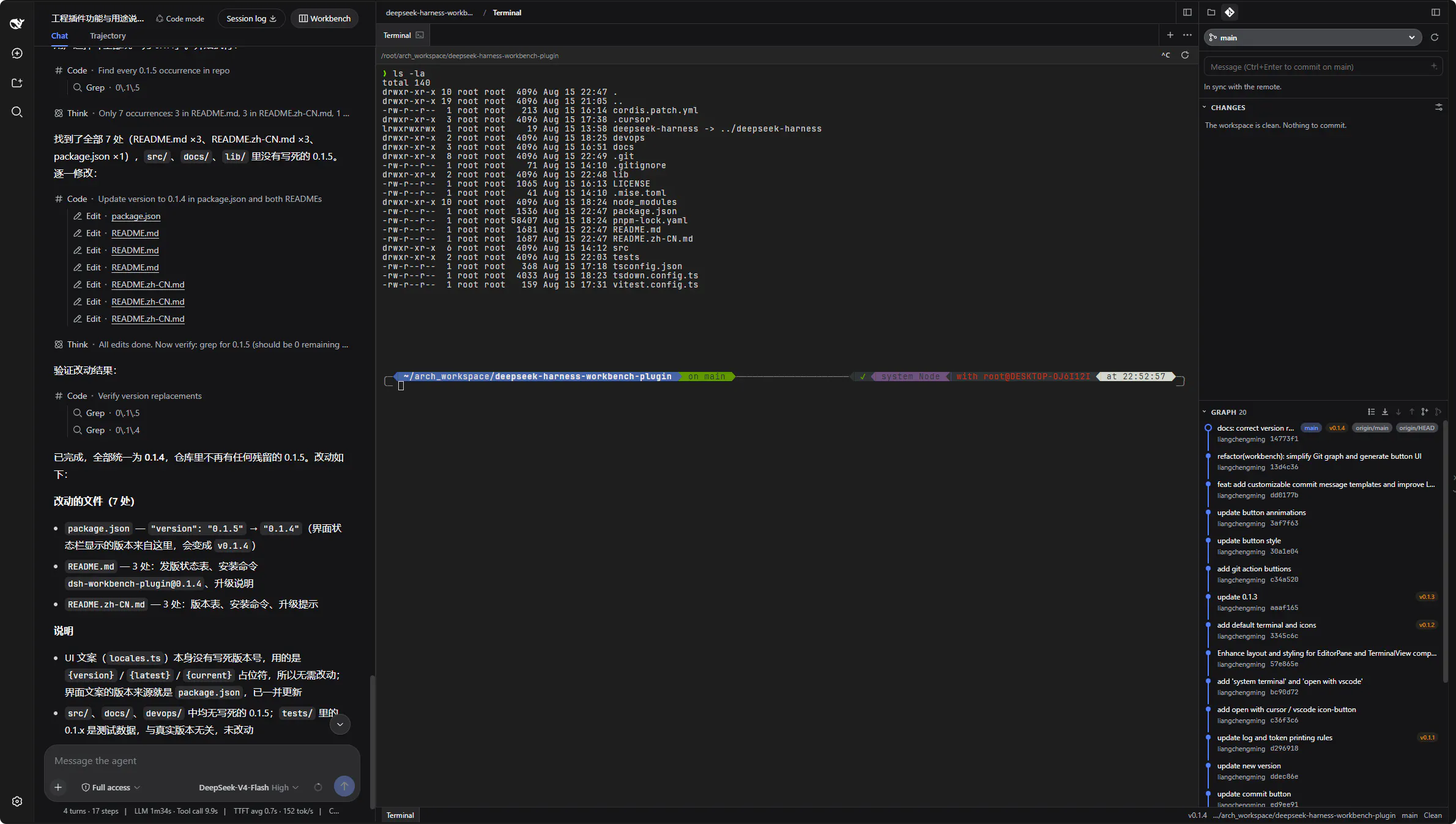
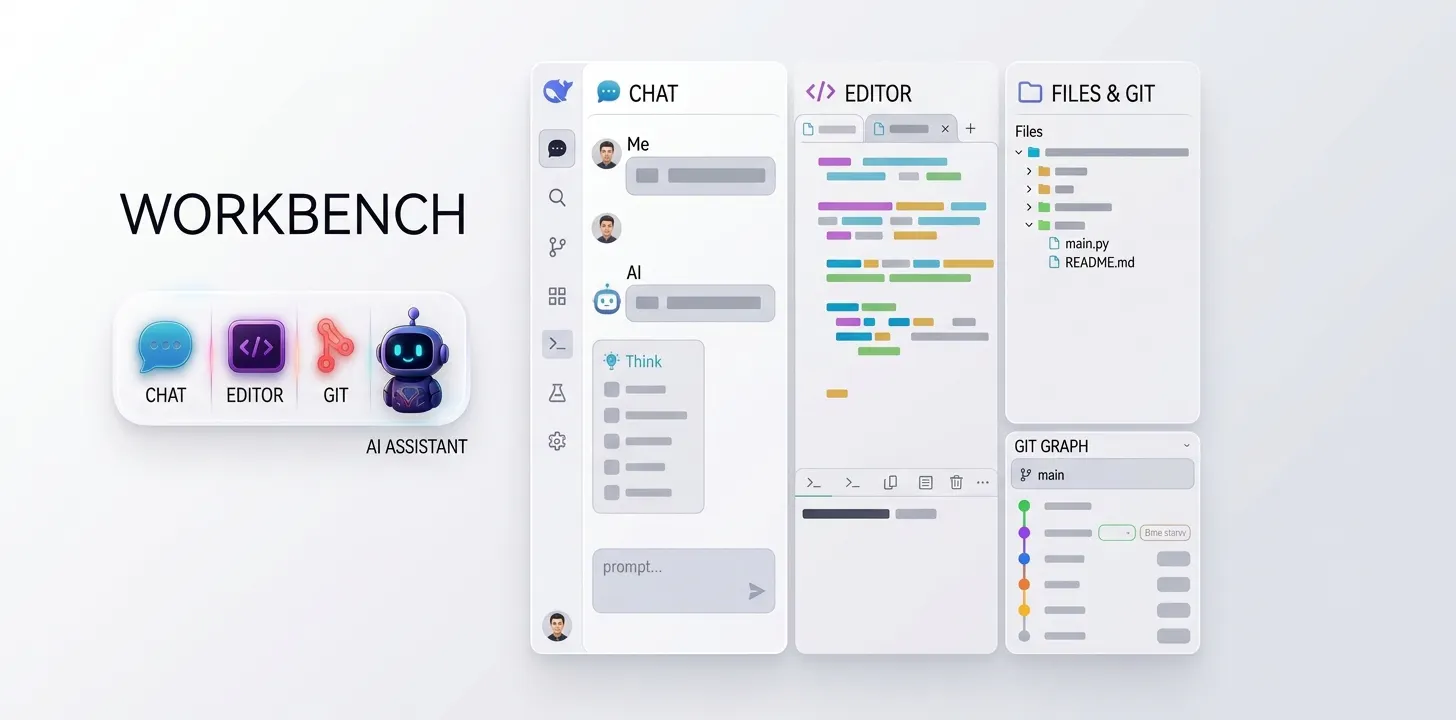
A workbench plugin for the [DeepSeek Harness](https://github.com/deepseek-ai/deepseek-harness) Web UI. After Workbench is opened in Conversation, chat stays on the left. Two new columns appear on the right: the editor (syntax highlighting and terminal) and files & Git.
## Core capabilities
1. **Smart terminal.** A local pseudo-terminal (PTY) inside the workbench. Input is classified automatically — lines that are real shell commands (including pasted prompt prefixes like `$ ls`) go straight to the PTY, while natural-language tasks are translated by the model into shell commands and typed into the **current session** shell; no separate shell is started. Greetings, warnings and one-line explanations are written as non-executable POSIX no-ops, and commands matching the configurable destructive blacklist are refused with a note.
2. **Workspace editor.** CodeMirror 6 with syntax highlighting for CSS, HTML, JavaScript, JSON, Markdown, Python, XML and YAML, plus a Markdown preview (👁 mode) that renders images (http(s) and workspace-relative paths) and Mermaid diagrams.
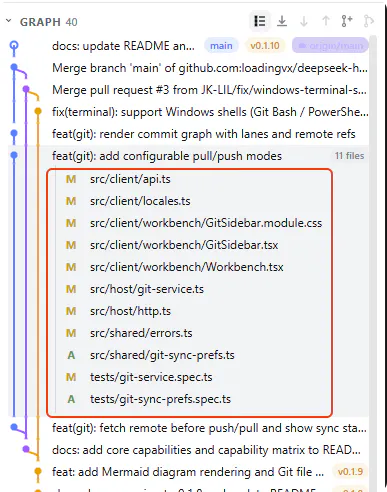
3. **Files & Git.** A file tree (browse, open, new, rename, delete) and a Git sidebar (status, diff, log, branch, commit with streamed AI commit-message generation, restore, commit graph).
4. **Maintenance & i18n.** In-UI upgrade checker with a dismissible notice, and Chinese / English locales.
## Capability matrix
| Area | Capability | Notes | Status |
| --- | --- | --- | --- |
| Smart terminal | Local PTY terminal | xterm.js PTY; POSIX bash / zsh / sh / dash allowlist with path constraints | Supported |
| Smart terminal | Command vs. natural-language classification | Real argv lines go straight to the PTY; requests are translated by the model | Supported |
| Smart terminal | AI translation to shell commands | Alt+I; written into the current session shell | Supported |
| Smart terminal | Note isolation | Greetings / warnings written as non-executable statements, never executed | Supported |
| Smart terminal | Destructive command blacklist | Matching commands are refused with a note; rules configurable in settings | Supported |
| Smart terminal | Windows terminal — Git Bash | Probed at the standard Git for Windows install paths and selected when present | Supported |
| Smart terminal | Windows terminal — Windows PowerShell | Probed at the system PowerShell path and selected when Git Bash is absent | Supported |
| Editor | Syntax highlighting | CodeMirror 6: CSS / HTML / JavaScript / JSON / Markdown / Python / XML / YAML | Supported |
| Editor | Markdown preview | Images (http(s) + workspace-relative) and Mermaid diagrams | Supported |
| Files & Git | File tree | Browse / open / new / rename / delete with path breadcrumbs | Supported |
| Files & Git | Git sidebar | Status / diff / log / branch / commit / restore, commit graph | Supported |
| Files & Git | AI commit messages | Streamed commit-message generation from staged changes | Supported |
| Workbench | Three-column layout | Chat \| editor + terminal \| files & Git; drag-resizable with remembered widths | Supported |
| Maintenance | Upgrade checker | Notice + install command written as a `#` comment into the terminal | Supported |
| i18n | Locales | Chinese and English dictionaries | Supported |
| Compatibility | Shells beyond the tested coverage | fish / tcsh / csh / ksh / mksh / cmd / BusyBox-as-`ash`: not yet covered by tests; when `$SHELL` points to one of them, the terminal falls back to a tested shell when available | Not yet covered by tests |
| Compatibility | Remote SSH jump-host sessions | Not yet covered by tests | Not yet covered by tests |
“Transform your Deepseek-Harness into CURSOR like IDE”
Deepseek Harness Workbench was submitted on Product Hunt and earned 2 upvotes and 2 comments, placing #61 on the daily leaderboard. A workbench plugin for the [DeepSeek Harness](https://github.com/deepseek-ai/deepseek-harness) Web UI. After Workbench is opened in Conversation, chat stays on the left. Two new columns appear on the right: the editor (syntax highlighting and terminal) and files & Git.
Deepseek Harness Workbench was featured in Open Source (69k followers) and GitHub (41.4k followers) on Product Hunt. Together, these topics include over 49.9k products, making this a competitive space to launch in.
Who hunted Deepseek Harness Workbench?
Deepseek Harness Workbench was hunted by Liam. A “hunter” on Product Hunt is the community member who submits a product to the platform — uploading the images, the link, and tagging the makers behind it. Hunters typically write the first comment explaining why a product is worth attention, and their followers are notified the moment they post. Around 79% of featured launches on Product Hunt are self-hunted by their makers, but a well-known hunter still acts as a signal of quality to the rest of the community. See the full all-time top hunters leaderboard to discover who is shaping the Product Hunt ecosystem.
Want to see how Deepseek Harness Workbench stacked up against nearby launches in real time? Check out the live launch dashboard for upvote speed charts, proximity comparisons, and more analytics.

 Liam
Liam