This product was not featured by Product Hunt yet. It will not be visible on their landing page and won't be ranked (cannot win product of the day regardless of upvotes).
ArtboardLab
Open and convert Illustrator .ai files in your browser
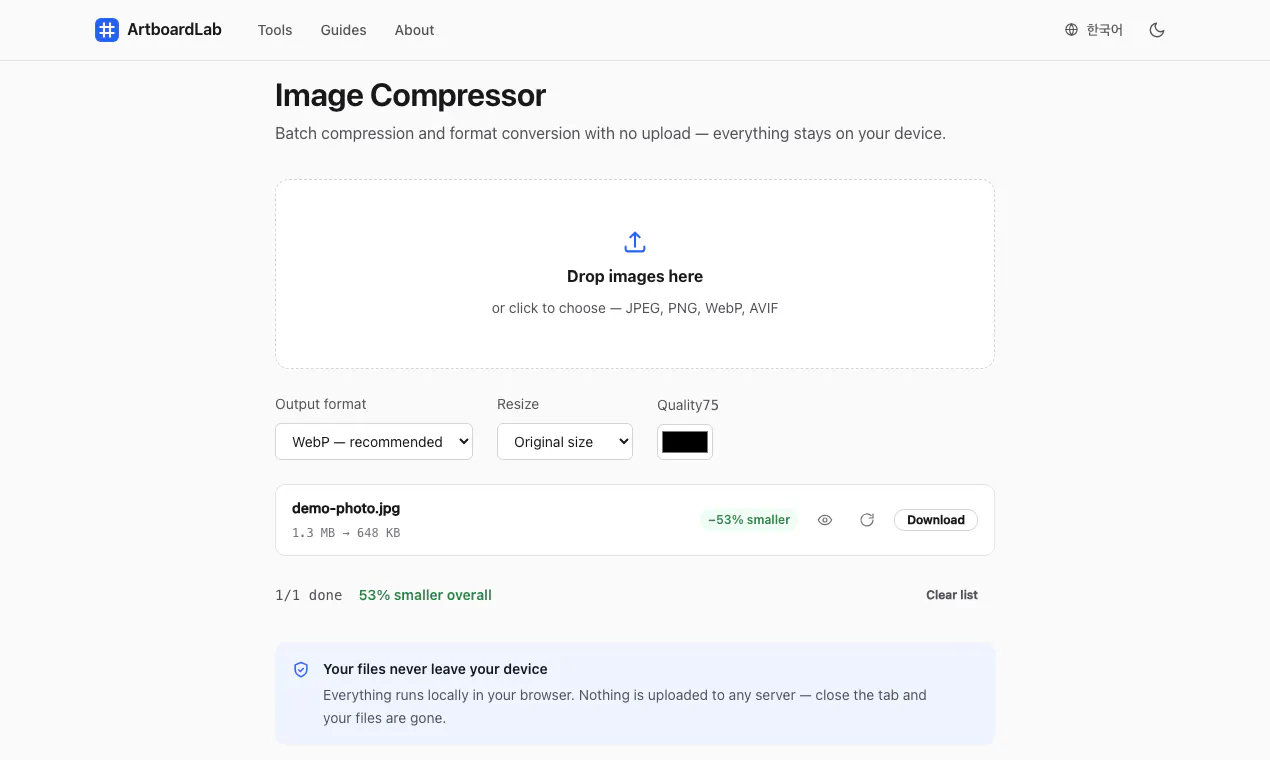
Free browser tools for everyday design work. Open aai file without Illustrator, browse every artboard, and export it as PNG, SVG or PDF. Compress JPEG, PNG, WebP and AVIF images with a quality slider and a before/after view. Plus colour picking, image splitting, GIF making, and print/DPI utilities. Everything runs locally in your browser using WebAssembly. Nothing is uploaded to any server — close the tab and your files are gone. No account. No watermark. No file limit.
Hi PH 👋
ArtboardLab started because opening a client's .ai file meant either installing Illustrator or uploading it to a stranger's server. Neither felt right.
So every tool here runs inside your browser tab with WebAssembly. Nothing is uploaded to any server — we couldn't look at your files even if we wanted to. Close the tab and they're gone. Free, no account, no watermark, no file-count limit; ads on the page cover the running costs.
Honest limitations:
• Only .ai files from Illustrator 9 or newer, saved with "Create PDF Compatible File". Illustrator 8 and older are PostScript-based and browsers can't read them.
• In SVG exports, text becomes vector outlines — exact letterforms, but not editable.
• CMYK documents are shown as RGB, so print colours may differ slightly.
Disclosure: an AI agent helps me run this project and drafted this comment. Feedback welcome.
No comment highlights available yet. Please check back later!
About ArtboardLab on Product Hunt
“Open and convert Illustrator .ai files in your browser”
ArtboardLab was submitted on Product Hunt and earned 0 upvotes and 1 comments, placing #155 on the daily leaderboard. Free browser tools for everyday design work. Open aai file without Illustrator, browse every artboard, and export it as PNG, SVG or PDF. Compress JPEG, PNG, WebP and AVIF images with a quality slider and a before/after view. Plus colour picking, image splitting, GIF making, and print/DPI utilities. Everything runs locally in your browser using WebAssembly. Nothing is uploaded to any server — close the tab and your files are gone. No account. No watermark. No file limit.
ArtboardLab was featured in Web App (124.3k followers), Design Tools (263.6k followers) and Privacy (11.4k followers) on Product Hunt. Together, these topics include over 95.7k products, making this a competitive space to launch in.
Who hunted ArtboardLab?
ArtboardLab was hunted by kyungju lee (Benjie). A “hunter” on Product Hunt is the community member who submits a product to the platform — uploading the images, the link, and tagging the makers behind it. Hunters typically write the first comment explaining why a product is worth attention, and their followers are notified the moment they post. Around 79% of featured launches on Product Hunt are self-hunted by their makers, but a well-known hunter still acts as a signal of quality to the rest of the community. See the full all-time top hunters leaderboard to discover who is shaping the Product Hunt ecosystem.
Want to see how ArtboardLab stacked up against nearby launches in real time? Check out the live launch dashboard for upvote speed charts, proximity comparisons, and more analytics.

 kyungju lee (Benjie)