You're running more coding agents than ever, but you can't keep up with them. That's where AgentPeek comes in. It pulls every session up into your Mac notch, live. Glance up, approve a prompt, watch token usage and manage the entire flow without pausing your YouTube video. All local, all yours.
Hey Product Hunt 👋 I'm Bren, the solo dev behind AgentPeek.
I basically live in Claude Code and Codex now. The problem: too much time spent babysitting them. Manually checking tabs, usage, servers, whether anything's actually finished, all while I'm just trying to watch some YouTube.
IT DOESN'T HAVE TO BE LIKE THIS!
So I built AgentPeek. It puts every agent's live status right in your MacBook notch. One glance tells you what's running, what needs you, and what just finished. Lovely!
The part I'm most excited about is how little it asks of you:
- Live status in the notch. Running, waiting on you, or done, at a glance. - Approve or deny permission prompts straight from the notch, without leaving the app you're in. - Watch each tool call as it happens (reads, edits, commands), each with its own glyph. - Zero setup. It reads the hooks Claude Code and Codex already fire, so you just open it and it works.
And that's just the start. There are dozens of small quality-of-life touches baked in too, the kind of thing I added because it bugged me as a dev and now I can't work without them.
I built this for my own workflow first, so I'd genuinely love your feedback.
QUESTION: what do you need out of this app?
I'm shipping constantly and focused on practical, time-saving stuff, so tell me what would actually help.
Thanks for checking it out 🙏
p.s. I post what I'm building on X at @brenhubr if you want to follow along and connect.
It would be great to have something like a notification bell that rings when Claude Code finishes generating)
reading sessions is the easy half — tail the jsonl, token counts fall out. approving a prompt from the notch is the sharp part: a write path back into the agent's permission gate, not just log-watching.
The permission-prompt piece is the part I'd care about most. I lose track when Claude Code is waiting while another agent is still running. Curious if you plan to show blocked vs still executing as separate notch states?
cool concept. i run a few Claude Code sessions in parallel and lose track fast. does it total up usage across all of them or just show each session separately? a combined view would be the killer feature for me
The notch placement is smart — babysitting Claude Code/Codex runs is exactly the dead time I want back without alt-tabbing to a terminal. How does AgentPeek actually read session state: is it tailing the local CLI logs/JSONL transcripts on disk, or hooking the process, and does any of that session content ever leave the Mac? For a tool watching my coding-agent output, fully-local with nothing phoned home is the dealbreaker either way.
Using the permission hook as the signal is the right call, idle-time heuristics would've flagged half my long tool calls as stuck. The one state that still looks identical from the notch is a tool call genuinely running for twelve minutes versus one that's quietly wedged, since neither trips the approval hook. Do you surface elapsed-time-in-current-tool, or just the blocked vs running split?
I didn't know what mac notch is, and now i downloaded it. any plans to make it hermes compatible? I know session mngment is less of an issue there but some of us have more than two harnesses.
Congrats on the launch. Trying it out right now!
Also very cool landing.
Bren, the notch sits empty most of the day, so quietly putting something useful up there seems very clever. I like that everything it watches stays on my own computer ! Thanks
Putting live session monitoring right in the notch is a clever use of dead screen real estate — way less disruptive than alt-tabbing to check on an agent.
With 4 sessions running in parallel like in the screenshot, how does AgentPeek handle prompt approvals when multiple agents need input at the same time?
Does it queue them, or surface all pending approvals at once?
running 3-4 Claude Code sessions at once is where this starts making real sense. the thing i keep bumping into though - does it show aggregate token spend across all sessions? each session looks fine individually but cumulative burn across 4 parallel agents adds up way faster than expected. a total daily spend view would make the budget awareness actually useful
The local-only session view is the important part here. Once coding agents touch real repos, the hard problem becomes knowing what is running, what is blocked on a human, and what can safely be approved without turning the whole workflow into a terminal babysitting loop.
Pulling sessions into the notch solves the context switching problem that comes with running multiple agents in parallel. The local-only data model is the right call for codebases you can't risk leaking. We've felt the friction of constantly alt-tabbing to check which agent is waiting on approval. How do you hook into Claude Code sessions: process output, local socket, or something else?
Congrats on AgentPeek — the notch/menu bar angle for Claude Code is really clever.
Saw two r/ClaudeCode threads today that match what you're building:
1) User on 5x sub sees usage around 40%, then gets locked at 100% with almost no warning — classic "usage meter you can't trust" pain.
2) Desktop SSH dev works fine, but UI stuck on "Reconnecting to root@..." — people think the session is broken when it isn't.
Worth a glance if you're looking for early users venting about session/usage visibility. Happy to share the links if useful.
The status I actually want at a glance is whether a session is blocked on me or just slow, because a long tool call and a session sitting on a permission prompt look identical from the outside. Running several agents at once, the time I lose isn't checking usage, it's tabbing into a session to find it's been waiting ten minutes for a y/n. If the notch can flag the blocked-on-human state distinct from busy, that alone earns the space. Does it read the actual pending prompt, or infer from idle time?
approving permission prompts from the notch without switching windows is the real feature here. that context switch of jumping to a terminal just to hit y and then going back to what you were doing adds up fast when you're running multiple sessions. does it support any kind of auto-approve rules for low risk operations or is every prompt manual? would love a way to say "always allow file reads in this repo" without having to approve each one individually.
The notch is a great spot for this, I usually have three or four Claude Code sessions going and lose track of which one is blocked waiting on me. Does it show which repo each session belongs to when you have a bunch running? congrats on shipping
About AgentPeek on Product Hunt
“Claude Code & Codex in your Mac notch”
AgentPeek launched on Product Hunt on June 30th, 2026 and earned 173 upvotes and 33 comments, placing #9 on the daily leaderboard. You're running more coding agents than ever, but you can't keep up with them. That's where AgentPeek comes in. It pulls every session up into your Mac notch, live. Glance up, approve a prompt, watch token usage and manage the entire flow without pausing your YouTube video. All local, all yours.
AgentPeek was featured in Developer Tools (522.4k followers), Menu Bar Apps (12.3k followers) and Vibe coding (742 followers) on Product Hunt. Together, these topics include over 96.7k products, making this a competitive space to launch in.
Who hunted AgentPeek?
AgentPeek was hunted by Bren Huber. A “hunter” on Product Hunt is the community member who submits a product to the platform — uploading the images, the link, and tagging the makers behind it. Hunters typically write the first comment explaining why a product is worth attention, and their followers are notified the moment they post. Around 79% of featured launches on Product Hunt are self-hunted by their makers, but a well-known hunter still acts as a signal of quality to the rest of the community. See the full all-time top hunters leaderboard to discover who is shaping the Product Hunt ecosystem.
Want to see how AgentPeek stacked up against nearby launches in real time? Check out the live launch dashboard for upvote speed charts, proximity comparisons, and more analytics.


 Bren Huber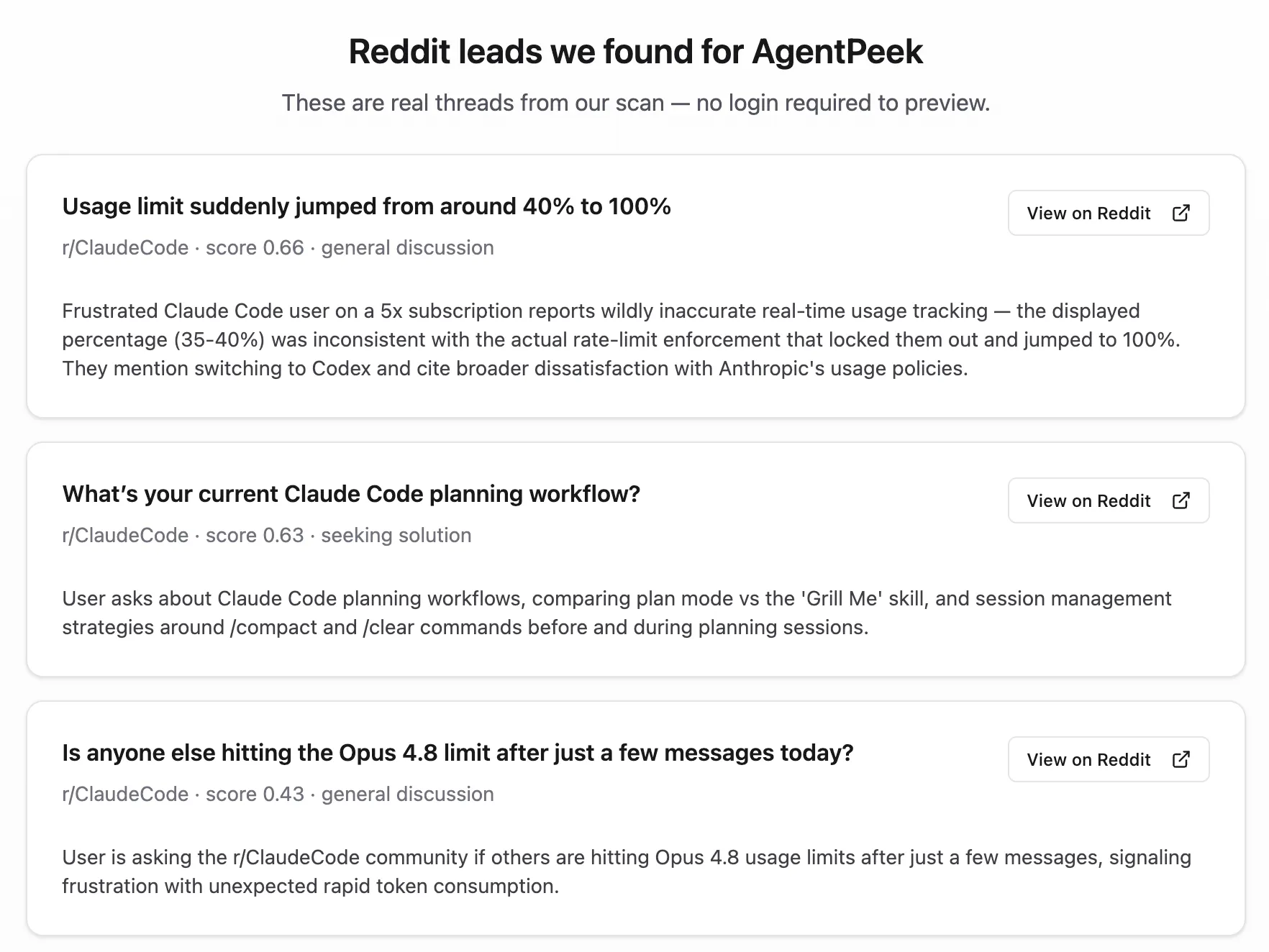
Hey Product Hunt 👋 I'm Bren, the solo dev behind AgentPeek.
I basically live in Claude Code and Codex now. The problem: too much time spent babysitting them. Manually checking tabs, usage, servers, whether anything's actually finished, all while I'm just trying to watch some YouTube.
IT DOESN'T HAVE TO BE LIKE THIS!
So I built AgentPeek. It puts every agent's live status right in your MacBook notch. One glance tells you what's running, what needs you, and what just finished. Lovely!
The part I'm most excited about is how little it asks of you:
- Live status in the notch. Running, waiting on you, or done, at a glance.
- Approve or deny permission prompts straight from the notch, without leaving the app you're in.
- Watch each tool call as it happens (reads, edits, commands), each with its own glyph.
- Zero setup. It reads the hooks Claude Code and Codex already fire, so you just open it and it works.
And that's just the start. There are dozens of small quality-of-life touches baked in too, the kind of thing I added because it bugged me as a dev and now I can't work without them.
I built this for my own workflow first, so I'd genuinely love your feedback.
QUESTION: what do you need out of this app?
I'm shipping constantly and focused on practical, time-saving stuff, so tell me what would actually help.
Thanks for checking it out 🙏
p.s. I post what I'm building on X at @brenhubr if you want to follow along and connect.