AgentMicro is a local-first macOS menu-bar companion for supervising parallel Codex Desktop and CLI tasks. It surfaces task state, project, elapsed time, and results at a glance, then opens the matching Codex Desktop task with one click. It observes local metadata only and never uploads prompts, responses, source code, or task history.
Hi Product Hunt! I built AgentMicro because I kept losing the thread when I had several Codex tasks running in parallel. The questions were simple: Which task is still working? Which one finished while I was elsewhere? Which one needs my input?
Codex already owns the work, so I did not want another dashboard, hosted task system, or automation layer. AgentMicro is a small, local-first macOS menu-bar companion that observes local Codex Desktop and CLI session metadata, puts active work first, and lets you return to the matching Desktop task with one click.
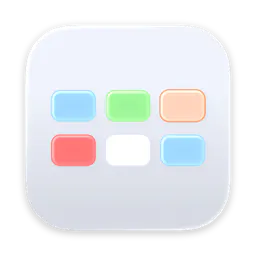
The menu uses five deliberate states: blue for thinking, green for an unread result, orange for input needed, red for an error, and white for idle. It also shows the project, current-turn duration, and fast-mode badge. Base mode needs no Accessibility permission; optional enhanced detection is opt-in and never clicks, types, or approves anything for you.
AgentMicro is free, open source, and independent. It does not upload prompts, responses, source code, command output, or task history. I would love to hear which signals help you supervise concurrent agent work without adding noise. Thanks for taking a look!
Every state in your list is instantaneous, and I think that is the gap. Thinking at 30 seconds is healthy. Thinking at 30 minutes is hung. Same colour today. @asadmalik901 gets at it from the permission side, that a long tool call and a prompt sitting unanswered look identical. Duration in state separates both, and it needs no Accessibility permission, because you already know when the state last changed. So I would not add a sixth state. I would age the five you have, and let orange escalate itself once thinking crosses your own p90. That also answers your noise question, because the threshold learns itself instead of you picking one up front. The missing-state point above is right. I just think the missing thing is an axis, not a state.
The five state breakdown above covers the local case well. Different question: if Codex is running on a remote box over SSH rather than on the Mac you're looking at, does the menu bar have any way to see that session, or is this strictly scoped to tasks running on the same machine as the app itself?
Local-first and no upload of prompts or source is the part I'd actually check before installing a menu bar app that watches my coding sessions.
The orange-only “act now” state is a really smart detail. Most agent status tools get noisy fast, but this feels designed around attention instead of just visibility. Also love that base mode works without Accessibility permissions.
In base mode with no Accessibility permission, orange for input needed has to be inferred from session metadata, and a long tool call looks identical to a prompt sitting unanswered. If that's a timeout threshold I'd want the number documented, because a 90 second web fetch showing up as needing me is the false positive that gets the whole menu bar ignored by Thursday. Five states only pay off if orange is never wrong.
You asked which signals help without adding noise, so here's the one I'd add: the state that isn't in your list.
You have thinking, unread result, input needed, error, idle. There's nothing for I don't know. White for idle and white for the metadata went stale or Codex isn't where I expected are the same pixel to me, and they mean opposite things. Idle is fine. Lost is not. If the menu bar can't separate those, then a quiet menu bar tells me nothing, and quiet is the state it's in almost all the time.
Second one, on blue. Elapsed time is a weak proxy for stuck. A long legitimate task and a hung one look identical behind a spinner, and what separates them isn't duration, it's whether anything has changed recently. Blue that decays into thinking, but nothing has moved for six minutes would tell me more than a timer, and it costs you no extra permission since you're already watching that metadata change.
The five states are well chosen otherwise, and orange being the only one that means act now is exactly right. Noise usually comes from having two colours that both mean maybe.
About AgentMicro on Product Hunt
“Live Codex task status in your macOS menu bar”
AgentMicro launched on Product Hunt on August 1st, 2026 and earned 170 upvotes and 7 comments, placing #4 on the daily leaderboard. AgentMicro is a local-first macOS menu-bar companion for supervising parallel Codex Desktop and CLI tasks. It surfaces task state, project, elapsed time, and results at a glance, then opens the matching Codex Desktop task with one click. It observes local metadata only and never uploads prompts, responses, source code, or task history.
AgentMicro was featured in Open Source (69k followers), Developer Tools (522.3k followers) and Menu Bar Apps (12.3k followers) on Product Hunt. Together, these topics include over 113.1k products, making this a competitive space to launch in.
Who hunted AgentMicro?
AgentMicro was hunted by Andy. A “hunter” on Product Hunt is the community member who submits a product to the platform — uploading the images, the link, and tagging the makers behind it. Hunters typically write the first comment explaining why a product is worth attention, and their followers are notified the moment they post. Around 79% of featured launches on Product Hunt are self-hunted by their makers, but a well-known hunter still acts as a signal of quality to the rest of the community. See the full all-time top hunters leaderboard to discover who is shaping the Product Hunt ecosystem.
Want to see how AgentMicro stacked up against nearby launches in real time? Check out the live launch dashboard for upvote speed charts, proximity comparisons, and more analytics.

 Andy
Andy