This product was not featured by Product Hunt yet. It will not be visible on their landing page and won't be ranked (cannot win product of the day regardless of upvotes).
Product upvotes vs the next 3
Waiting for data. Loading
Product comments vs the next 3
Waiting for data. Loading
Product upvote speed vs the next 3
Waiting for data. Loading
Product upvotes and comments
Waiting for data. Loading
Product vs the next 3
Loading
Zenovix Storage Manager
Review files safely before deleting anything
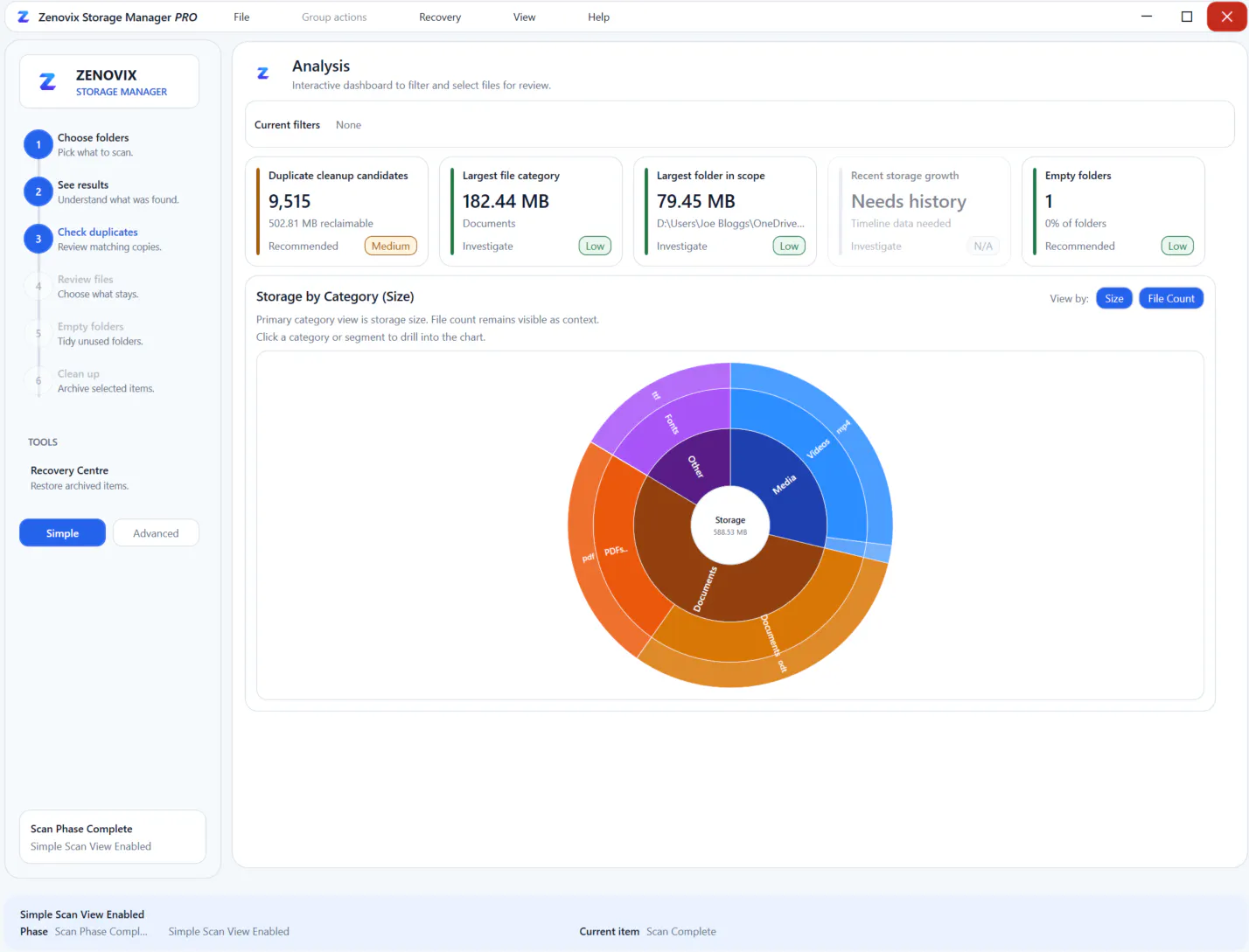
Zenovix Storage Manager helps Windows users understand what is using disk space before deleting anything. Scan folders or drives, review large files, empty folders, exact duplicates and similar files, then clean up safely with archive and recovery workflows. Files are analysed locally on your PC, with no automatic deletion and no cloud upload.
Hi Product Hunt 👋
I’m Mark, the maker of Zenovix Storage Manager.
I built Zenovix because my own storage had become a mess over the years. I had photos, documents, old downloads, cloud sync folders, iCloud files and OneDrive copies spread across my PC. I did not want another cleaner that rushed me into deleting things. I wanted a safer way to understand what was there first.
Zenovix is a Windows desktop app that helps you:
• scan selected folders or drives
• review storage usage, large files and empty folders
• find exact duplicate files
• find similar files using fuzzy matching
• compare image and audio candidates
• archive, restore, recycle or delete only after review
• keep analysis local on your own PC
The workflow is simple:
Scan → Review → Archive or Delete → Recover if needed
Zenovix is designed to be careful rather than aggressive. It does not automatically delete files, and the Pro workflows are built around review, archive and recovery rather than one click cleanup.
I’d really appreciate feedback from Windows users, especially anyone with messy photo folders, cloud sync duplicates, old backups or large drives.
I also have a limited number of free promotional licences available for people who are happy to try Zenovix and share honest feedback.
Thanks for taking a look.
About Zenovix Storage Manager on Product Hunt
“Review files safely before deleting anything”
Zenovix Storage Manager was submitted on Product Hunt and earned 4 upvotes and 1 comments, placing #158 on the daily leaderboard. Zenovix Storage Manager helps Windows users understand what is using disk space before deleting anything. Scan folders or drives, review large files, empty folders, exact duplicates and similar files, then clean up safely with archive and recovery workflows. Files are analysed locally on your PC, with no automatic deletion and no cloud upload.
On the analytics side, Zenovix Storage Manager competes within Windows, Productivity and Privacy — topics that collectively have 687.8k followers on Product Hunt. The dashboard above tracks how Zenovix Storage Manager performed against the three products that launched closest to it on the same day.
Who hunted Zenovix Storage Manager?
Zenovix Storage Manager was hunted by Mark. A “hunter” on Product Hunt is the community member who submits a product to the platform — uploading the images, the link, and tagging the makers behind it. Hunters typically write the first comment explaining why a product is worth attention, and their followers are notified the moment they post. Around 79% of featured launches on Product Hunt are self-hunted by their makers, but a well-known hunter still acts as a signal of quality to the rest of the community. See the full all-time top hunters leaderboard to discover who is shaping the Product Hunt ecosystem.
For a complete overview of Zenovix Storage Manager including community comment highlights and product details, visit the product overview.

 Mark
Mark