


This product was not featured by Product Hunt yet.
It will not be visible on their landing page and won't be ranked (cannot win product of the day regardless of upvotes).
Product upvotes vs the next 3
Product comments vs the next 3
Product upvote speed vs the next 3
Product upvotes and comments
Product vs the next 3
GitHub
video edition,text to mp4
New features which will help you save time.
Top comment
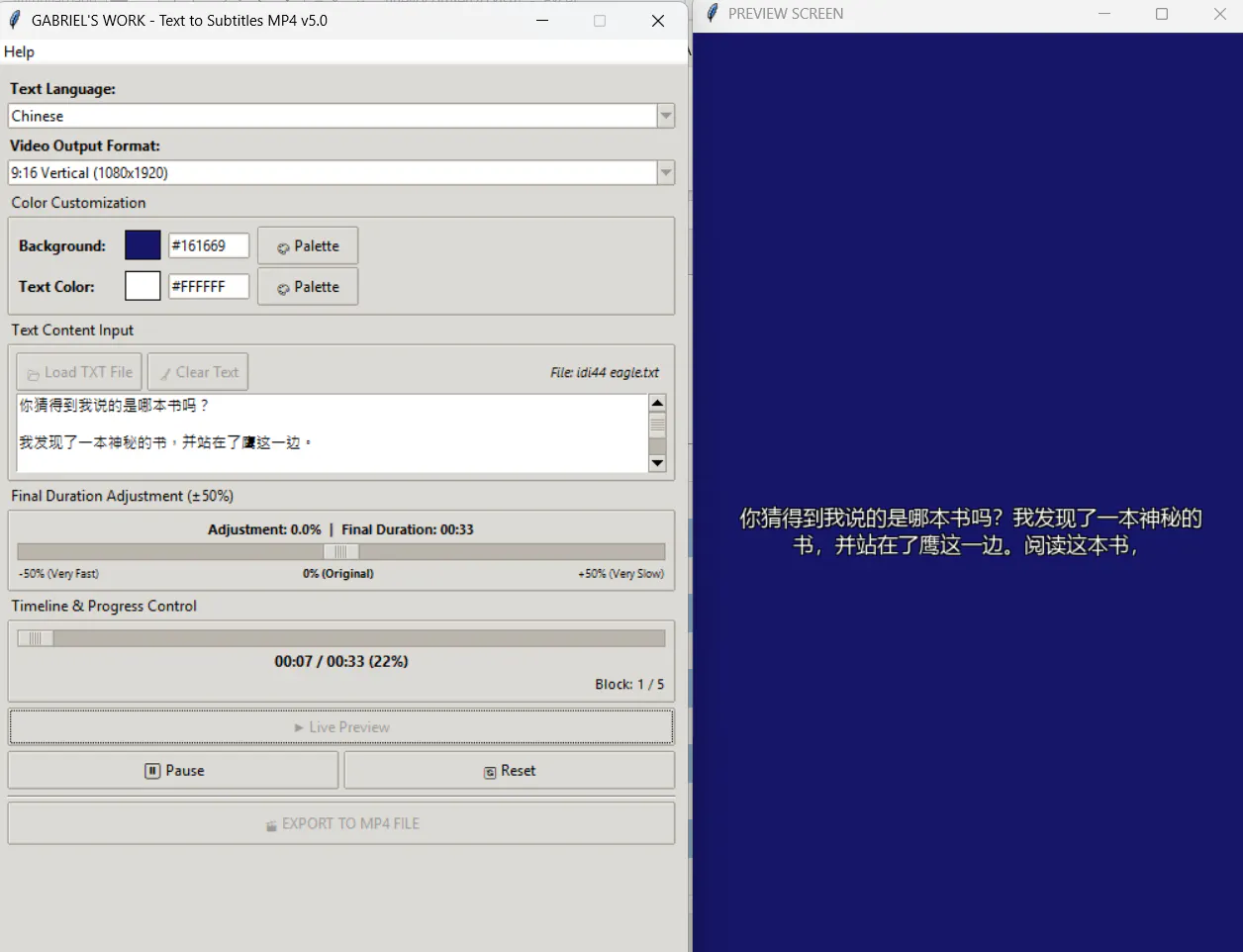
GABRIEL'S WORK Text to Subtitles v5.0 converts plain text into MP4 subtitle videos in 76 languages. Now you can type or paste text directly into the app or load a .txt file — the app processes the exact text provided without translating it, now featuring automated real-time language detection, a compact UI, and enhanced selective BiDi/RTL shaping. Create Full HD 16:9 or Vertical 9:16 videos with automatic reading speed calculations, live preview, ±50% duration adjustment, and custom color palettes. Use green-screen for chroma-key workflows or your own colors. Free standalone Windows app — no Python installation required. Si prefieres añadir una breve introducción personal como creador (estilo Maker's Comment), puedes usar esta variante: Hi Product Hunt! 👋 I built GABRIEL'S WORK Text to Subtitles v5.0 as a YouTube creator to solve a real problem: generating synchronized subtitle videos quickly without relying on pre-recorded audio or cloud services. With v5.0, you can now type or paste text directly into the app (or load a .txt file) and let the new real-time engine automatically detect your language across 76 supported scripts. The app processes your exact text without translating it, calculates reading timing automatically, and lets you adjust duration by ±50%. Create Full HD (16:9) or Vertical (9:16) MP4 videos with live previews, full RTL support, and custom background palettes (including chroma-key green). It’s a free, standalone Windows desktop app — no Python or cloud subscription required!
About GitHub on Product Hunt
“video edition,text to mp4”
GitHub was submitted on Product Hunt and earned 2 upvotes and 1 comments, placing #148 on the daily leaderboard. New features which will help you save time.
On the analytics side, GitHub competes within Design Tools and GitHub — topics that collectively have 305.3k followers on Product Hunt. The dashboard above tracks how GitHub performed against the three products that launched closest to it on the same day.
Who hunted GitHub?
GitHub was hunted by José Carlos Galindo Hinostroza. A “hunter” on Product Hunt is the community member who submits a product to the platform — uploading the images, the link, and tagging the makers behind it. Hunters typically write the first comment explaining why a product is worth attention, and their followers are notified the moment they post. Around 79% of featured launches on Product Hunt are self-hunted by their makers, but a well-known hunter still acts as a signal of quality to the rest of the community. See the full all-time top hunters leaderboard to discover who is shaping the Product Hunt ecosystem.
For a complete overview of GitHub including community comment highlights and product details, visit the product overview.