This product was not featured by Product Hunt yet. It will not be visible on their landing page and won't be ranked (cannot win product of the day regardless of upvotes).
Product upvotes vs the next 3
Waiting for data. Loading
Product comments vs the next 3
Waiting for data. Loading
Product upvote speed vs the next 3
Waiting for data. Loading
Product upvotes and comments
Waiting for data. Loading
Product vs the next 3
Loading
PDF Inspector Web UI
Parse PDFs to Markdown for AI Agents, in your browser
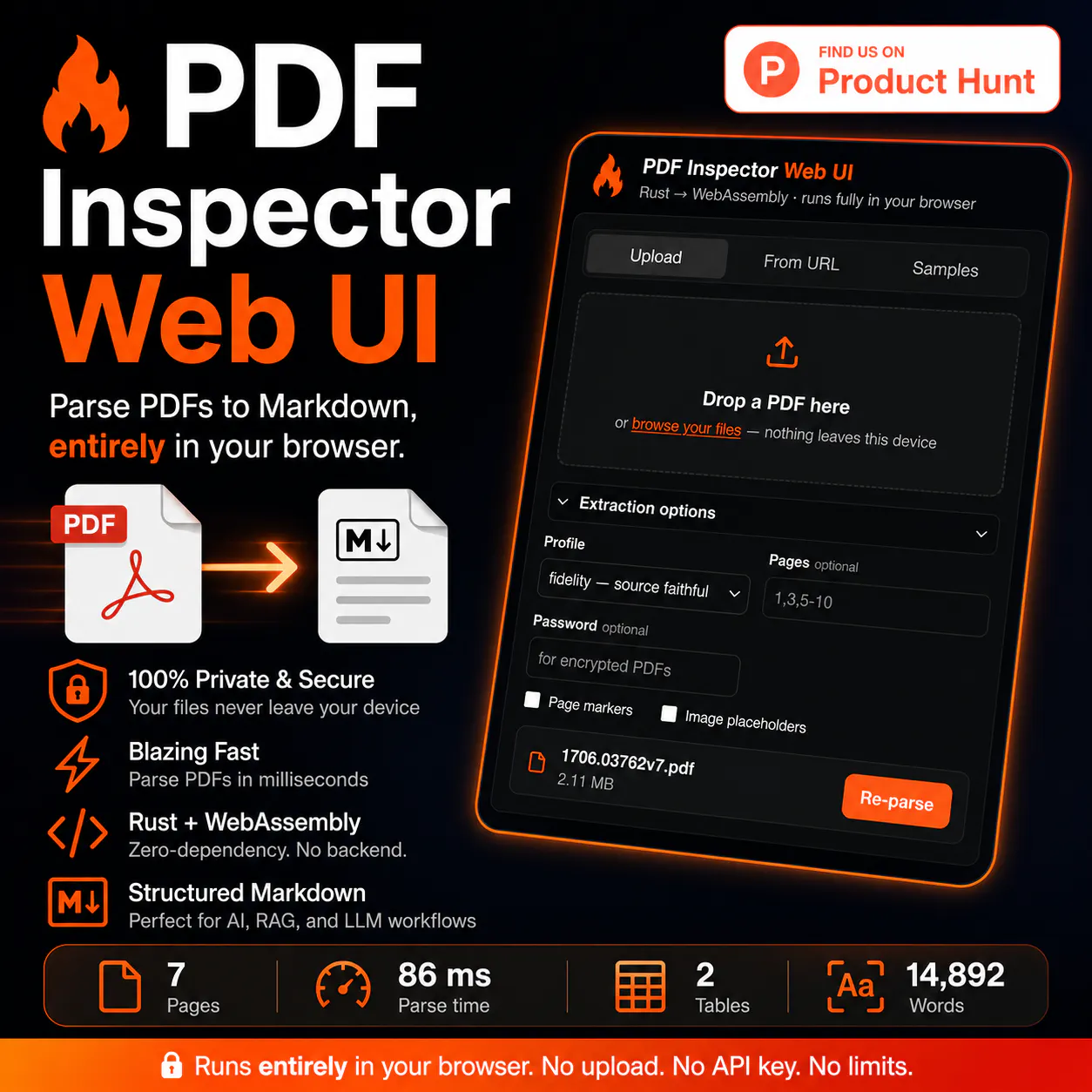
Turn PDFs into clean, structured Markdown entirely in your browser. Built with Firecrawl's Rust-based pdf-inspector compiled to WebAssembly, this zero-dependency app needs no backend, uploads, API key, or installation. Drag & drop a PDF, inspect document stats, preview Markdown, export JSON, and process files privately in milliseconds. Perfect for AI agents, RAG, LLM, and document-processing workflows.
What if you could turn any PDF into clean, structured Markdown without uploading a single file?
That's exactly what PDF Inspector Web UI does.
Built on Firecrawl's blazing-fast pdf-inspector Rust engine, this project compiles the parser to WebAssembly, so everything runs locally inside your browser. Your PDFs never leave your device—no backend, no API key, no accounts, no dependencies.
Why I built this
Most PDF extraction tools require sending documents to a server, installing heavy software, or paying for an API. I wanted a lightweight, privacy-first way to explore what modern browser-native AI tooling can do.
The result is a zero-dependency demo that parses PDFs into structured Markdown in milliseconds.
⚡ Rust + WebAssembly — Fast enough to parse many PDFs in under a second.
📝 Structured Markdown output — Perfect for AI Agents, RAG pipelines, LLM workflows, indexing, and documentation.
📊 Rich document insights — View page count, document type, parsing time, confidence scores, OCR detection, tables, columns, and more.
🎯 Flexible extraction — Choose fidelity or compact mode, parse specific page ranges, enable page markers, image placeholders, and encrypted PDF support.
📋 Markdown + JSON — Preview, copy, or download the extracted content instantly.
🌙 Modern responsive UI — Light/Dark mode with drag-and-drop support.
Built for
AI Engineers
AI Agent Developers
RAG Developers
LLM Applications
Search & Knowledge Systems
Document Processing
Browser-based AI tools
If you're building anything that starts with a PDF, this is a fun way to see what's now possible entirely in the browser.
Built with ❤️ by AI Anytime using Firecrawl's pdf-inspector.
I'd love your feedback, feature requests, and GitHub stars if you find it useful!
About PDF Inspector Web UI on Product Hunt
“Parse PDFs to Markdown for AI Agents, in your browser”
PDF Inspector Web UI was submitted on Product Hunt and earned 0 upvotes and 1 comments, placing #130 on the daily leaderboard. Turn PDFs into clean, structured Markdown entirely in your browser. Built with Firecrawl's Rust-based pdf-inspector compiled to WebAssembly, this zero-dependency app needs no backend, uploads, API key, or installation. Drag & drop a PDF, inspect document stats, preview Markdown, export JSON, and process files privately in milliseconds. Perfect for AI agents, RAG, LLM, and document-processing workflows.
On the analytics side, PDF Inspector Web UI competes within Open Source, Software Engineering, Artificial Intelligence and GitHub — topics that collectively have 634.5k followers on Product Hunt. The dashboard above tracks how PDF Inspector Web UI performed against the three products that launched closest to it on the same day.
Who hunted PDF Inspector Web UI?
PDF Inspector Web UI was hunted by AI Anytime. A “hunter” on Product Hunt is the community member who submits a product to the platform — uploading the images, the link, and tagging the makers behind it. Hunters typically write the first comment explaining why a product is worth attention, and their followers are notified the moment they post. Around 79% of featured launches on Product Hunt are self-hunted by their makers, but a well-known hunter still acts as a signal of quality to the rest of the community. See the full all-time top hunters leaderboard to discover who is shaping the Product Hunt ecosystem.
For a complete overview of PDF Inspector Web UI including community comment highlights and product details, visit the product overview.

 AI Anytime
📄⚡ Meet PDF Inspector Web UI
What if you could turn any PDF into clean, structured Markdown without uploading a single file?
That's exactly what PDF Inspector Web UI does.
Built on Firecrawl's blazing-fast pdf-inspector Rust engine, this project compiles the parser to WebAssembly, so everything runs locally inside your browser. Your PDFs never leave your device—no backend, no API key, no accounts, no dependencies.
Why I built this
Most PDF extraction tools require sending documents to a server, installing heavy software, or paying for an API. I wanted a lightweight, privacy-first way to explore what modern browser-native AI tooling can do.
The result is a zero-dependency demo that parses PDFs into structured Markdown in milliseconds.
Features
🚀 100% client-side parsing — Nothing gets uploaded.
⚡ Rust + WebAssembly — Fast enough to parse many PDFs in under a second.
📝 Structured Markdown output — Perfect for AI Agents, RAG pipelines, LLM workflows, indexing, and documentation.
📊 Rich document insights — View page count, document type, parsing time, confidence scores, OCR detection, tables, columns, and more.
🎯 Flexible extraction — Choose fidelity or compact mode, parse specific page ranges, enable page markers, image placeholders, and encrypted PDF support.
📋 Markdown + JSON — Preview, copy, or download the extracted content instantly.
🌙 Modern responsive UI — Light/Dark mode with drag-and-drop support.
Built for
AI Engineers
AI Agent Developers
RAG Developers
LLM Applications
Search & Knowledge Systems
Document Processing
Browser-based AI tools
If you're building anything that starts with a PDF, this is a fun way to see what's now possible entirely in the browser.
Built with ❤️ by AI Anytime using Firecrawl's pdf-inspector.
I'd love your feedback, feature requests, and GitHub stars if you find it useful!