I'm Dominik, creator of Monocle, and I'm genuinely excited to share the biggest update since launch — version 3.0!
TLDR: I wanted Monocle 3.0 to feel like something that shipped with your Mac.
What is Monocle? For those who don't know Monocle: Think noise-canceling, but for your Mac screen. It's a modern take on window dimming that elegantly blurs everything except your active window. It isn't just about productivity — it's about presence. Feeling calm while you work, write, browse, or think.
…just wiggle your mouse.
Why 3.0 so soon? I know this is unusual. Version 2.0 just launched here 2 months ago. Seems too early for another major update, right? But the changes I've made since then are so fundamental that calling this 2.X wouldn't do it justice. This had to be 3.0 (free for existing users of course!)
So what makes 3.0 special?
• Whole New Design — Rebuilt from the ground up with a native macOS feel. Monocle now feels like something that shipped with your Mac.
• Custom Blur Intensity — After almost a year of trying, I finally hacked Apple's NSVisualEffectView to allow fully custom blur intensity (Yay!). Apple doesn't expose this, so it took countless failed attempts.
• Shake to Toggle — Just wiggle your cursor and Monocle turns on. Shake again and it turns off. Such a natural gesture that it genuinely feels like magic.
• Massive Performance Optimizations — Your Mac will run cooler and your battery will last significantly longer.
• Grayscale Mode & Custom Tints — Turn background windows black and white, or add subtle color tints. Choose from presets or match your system accent color.
• Automation Support — Control Monocle via Shell, AppleScript, or Shortcuts using URL schemes.
• Homebrew Support — Finally! Install with brew install --cask monocle-app
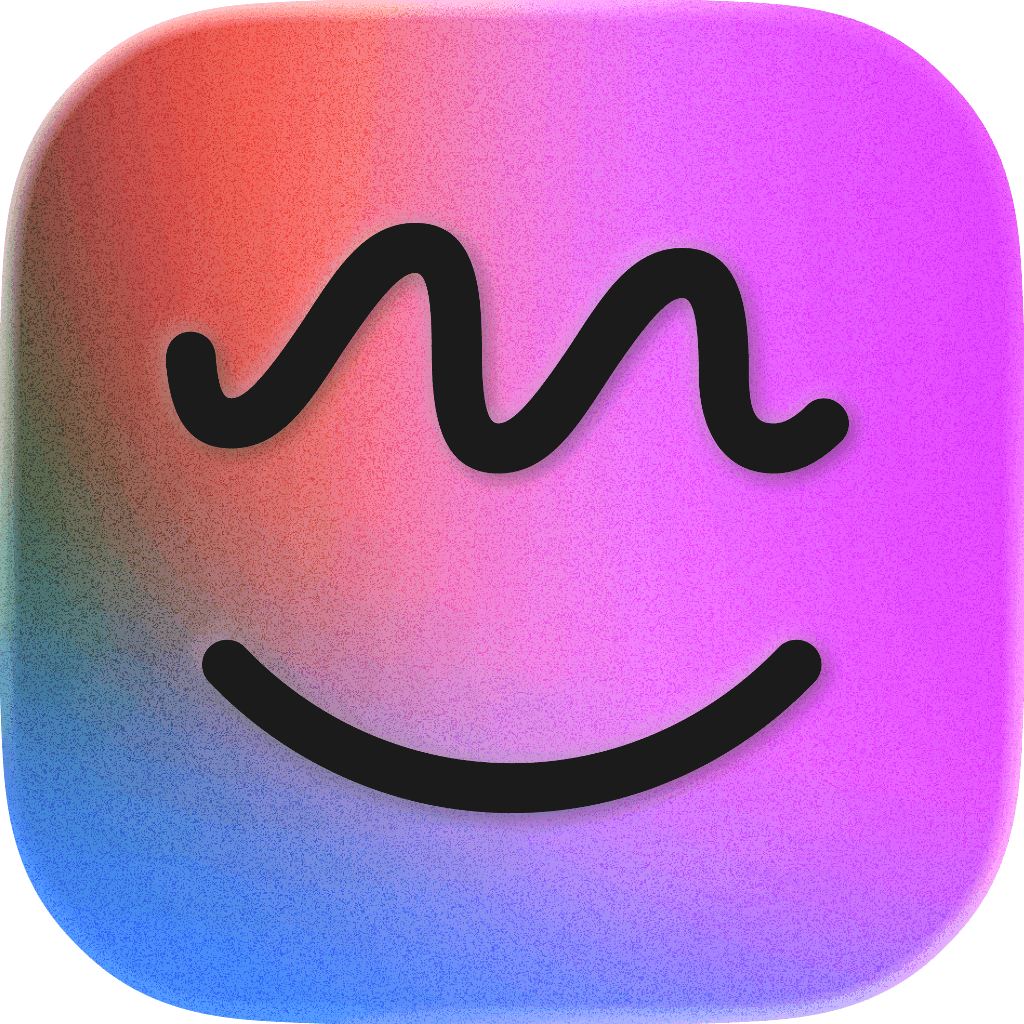
• New App Icon — The letter 'M' merged with the Finder smile creates an abstract relaxed face.
Give it a try: 7-day free trial, then one-time payment ($9 single seat / $20 for three seats). No subscriptions, ever.
Wall of Love I've been receiving dozens of beautiful emails from the users with appreciation and notes on how Monocle helps them focus. Here are my latest favorites:
"Hi Dominik, I usually send feedback to just a handful of developers, and I must say that the 3.0 version is impressive. All details you have implemented recently is just fantastic. The Liquid Glass theme is also so nice and fluid, well done! Continue with the good work! I can’t wait to see new features coming to your app. Regards, Felipe"
"Hi Dominik, a fan here. Honestly Monocle 3.0 is probably the best designed third-party app on Mac platform I have seen in the past 5 years, if not ever. The blur effect is mind-blowing. Keep up the good work. Best, Que"
"Hi Dominik, I'm probably just one of thousands of fans who you will never meet IRL but I'm grateful to you for doing so much amazing work on our behalf! Monocle is absolutely my favorite app; it has changed the way I work by calming my brain in ways I didn't know I needed. I can't wait to experience the new version. Thank you! Amy"
Monocle was built with zero coding experience — just AI and a whole lot of stubbornness.
I restarted the project three times before releasing v1.0. But each time, I understood it a little more deeply.
A year of reviewing every line AI suggested, questioning every change. Slowly, it started to shape into something I love using every day.
“Noise-cancelling for your screen now with cursor shake”
Monocle 3.0 for macOS launched on Product Hunt on December 18th, 2025 and earned 416 upvotes and 35 comments, earning #2 Product of the Day. Every moment, something steals our focus until we can’t remember what we sat down to do. But it doesn’t have to be this way… …just wiggle your mouse.
On the analytics side, Monocle 3.0 for macOS competes within Productivity, User Experience and Health — topics that collectively have 1M followers on Product Hunt. The dashboard above tracks how Monocle 3.0 for macOS performed against the three products that launched closest to it on the same day.
Who hunted Monocle 3.0 for macOS?
Monocle 3.0 for macOS was hunted by Dominik Kandravý. A “hunter” on Product Hunt is the community member who submits a product to the platform — uploading the images, the link, and tagging the makers behind it. Hunters typically write the first comment explaining why a product is worth attention, and their followers are notified the moment they post. Around 79% of featured launches on Product Hunt are self-hunted by their makers, but a well-known hunter still acts as a signal of quality to the rest of the community. See the full all-time top hunters leaderboard to discover who is shaping the Product Hunt ecosystem.
Reviews
Monocle 3.0 for macOS has received 2 reviews on Product Hunt with an average rating of 5.00/5. Read all reviews on Product Hunt.
For a complete overview of Monocle 3.0 for macOS including community comment highlights and product details, visit the product overview.

 Dominik Kandravý
Hi everyone! 👋
I'm Dominik, creator of Monocle, and I'm genuinely excited to share the biggest update since launch — version 3.0!
TLDR: I wanted Monocle 3.0 to feel like something that shipped with your Mac.
What is Monocle?
For those who don't know Monocle: Think noise-canceling, but for your Mac screen. It's a modern take on window dimming that elegantly blurs everything except your active window. It isn't just about productivity — it's about presence. Feeling calm while you work, write, browse, or think.
…just wiggle your mouse.
Why 3.0 so soon?
I know this is unusual. Version 2.0 just launched here 2 months ago. Seems too early for another major update, right? But the changes I've made since then are so fundamental that calling this 2.X wouldn't do it justice. This had to be 3.0 (free for existing users of course!)
So what makes 3.0 special?
• Whole New Design — Rebuilt from the ground up with a native macOS feel. Monocle now feels like something that shipped with your Mac.
• Custom Blur Intensity — After almost a year of trying, I finally hacked Apple's NSVisualEffectView to allow fully custom blur intensity (Yay!). Apple doesn't expose this, so it took countless failed attempts.
• Shake to Toggle — Just wiggle your cursor and Monocle turns on. Shake again and it turns off. Such a natural gesture that it genuinely feels like magic.
• Massive Performance Optimizations — Your Mac will run cooler and your battery will last significantly longer.
• Grayscale Mode & Custom Tints — Turn background windows black and white, or add subtle color tints. Choose from presets or match your system accent color.
• Automation Support — Control Monocle via Shell, AppleScript, or Shortcuts using URL schemes.
• Homebrew Support — Finally! Install with brew install --cask monocle-app
• New App Icon — The letter 'M' merged with the Finder smile creates an abstract relaxed face.
Give it a try: 7-day free trial, then one-time payment ($9 single seat / $20 for three seats). No subscriptions, ever.
Wall of Love
I've been receiving dozens of beautiful emails from the users with appreciation and notes on how Monocle helps them focus. Here are my latest favorites:
"Hi Dominik, I usually send feedback to just a handful of developers, and I must say that the 3.0 version is impressive. All details you have implemented recently is just fantastic. The Liquid Glass theme is also so nice and fluid, well done! Continue with the good work! I can’t wait to see new features coming to your app. Regards, Felipe"
"Hi Dominik, a fan here. Honestly Monocle 3.0 is probably the best designed third-party app on Mac platform I have seen in the past 5 years, if not ever. The blur effect is mind-blowing. Keep up the good work. Best, Que"
"Hi Dominik, I'm probably just one of thousands of fans who you will never meet IRL but I'm grateful to you for doing so much amazing work on our behalf! Monocle is absolutely my favorite app; it has changed the way I work by calming my brain in ways I didn't know I needed. I can't wait to experience the new version. Thank you! Amy"
Monocle was built with zero coding experience — just AI and a whole lot of stubbornness.
I restarted the project three times before releasing v1.0. But each time, I understood it a little more deeply.
A year of reviewing every line AI suggested, questioning every change. Slowly, it started to shape into something I love using every day.
https://x.com/heyiamdk/status/1998669666051346936?s=20