This product was not featured by Product Hunt yet. It will not be visible on their landing page and won't be ranked (cannot win product of the day regardless of upvotes).
Product upvotes vs the next 3
Waiting for data. Loading
Product comments vs the next 3
Waiting for data. Loading
Product upvote speed vs the next 3
Waiting for data. Loading
Product upvotes and comments
Waiting for data. Loading
Product vs the next 3
Loading
Meiku Charts
Animated charts and live tables you embed with one line
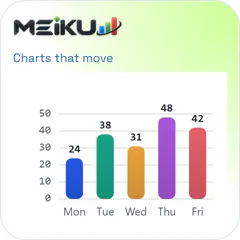
Turn numbers into animated charts and live tables. Make them in the browser with no signup, embed them with one line, or ask Claude or ChatGPT to build them through our connector. 24 chart types and a live table, five themes. Free to start, Pro $19/mo.
I write long research articles on meikuio.com, and the charts were always the weakest part: a flat screenshot from a spreadsheet, blurry next to the text, wrong the moment a number changed. So I built the chart tool I wanted.
Meiku Charts takes your numbers and gives you a living chart. It animates in, morphs between shapes (column to line to donut, same data), and every table can sort, filter and turn a column into a chart. You make it in the browser without signing up, then paste one line into your page. My own articles run on it today: 589 charts and tables across 107 articles.
The part I use most is the AI connector. I tested it on my own site first: an AI agent went through about 100 of my articles and swapped the static tables for live ones through this connector, in roughly 40 minutes. Add meikucharts.com/mcp to Claude or ChatGPT as a custom connector, sign in with Google, paste a table and ask for a chart. You get the embed back in the chat. A free account gets 10 charts a month.
Free covers every chart type and all the makers, with a small "Made with Meiku Charts" credit. Pro ($19/mo or $190/year) swaps the credit for your own line or removes it on up to three websites, and adds clean PNG and SVG exports, 500 AI charts a month and a local MCP server. The launch price stays locked for as long as you're subscribed.
I'd love to hear where it breaks for you, and which chart you wish it had.
About Meiku Charts on Product Hunt
“Animated charts and live tables you embed with one line”
Meiku Charts was submitted on Product Hunt and earned 0 upvotes and 1 comments, placing #131 on the daily leaderboard. Turn numbers into animated charts and live tables. Make them in the browser with no signup, embed them with one line, or ask Claude or ChatGPT to build them through our connector. 24 chart types and a live table, five themes. Free to start, Pro $19/mo.
On the analytics side, Meiku Charts competes within Developer Tools, Artificial Intelligence and Data Visualization — topics that collectively have 1M followers on Product Hunt. The dashboard above tracks how Meiku Charts performed against the three products that launched closest to it on the same day.
Who hunted Meiku Charts?
Meiku Charts was hunted by Egor Sivchik. A “hunter” on Product Hunt is the community member who submits a product to the platform — uploading the images, the link, and tagging the makers behind it. Hunters typically write the first comment explaining why a product is worth attention, and their followers are notified the moment they post. Around 79% of featured launches on Product Hunt are self-hunted by their makers, but a well-known hunter still acts as a signal of quality to the rest of the community. See the full all-time top hunters leaderboard to discover who is shaping the Product Hunt ecosystem.
For a complete overview of Meiku Charts including community comment highlights and product details, visit the product overview.

 Egor Sivchik
Hi Product Hunt, I'm Egor.
I write long research articles on meikuio.com, and the charts were always the weakest part: a flat screenshot from a spreadsheet, blurry next to the text, wrong the moment a number changed. So I built the chart tool I wanted.
Meiku Charts takes your numbers and gives you a living chart. It animates in, morphs between shapes (column to line to donut, same data), and every table can sort, filter and turn a column into a chart. You make it in the browser without signing up, then paste one line into your page. My own articles run on it today: 589 charts and tables across 107 articles.
The part I use most is the AI connector. I tested it on my own site first: an AI agent went through about 100 of my articles and swapped the static tables for live ones through this connector, in roughly 40 minutes. Add meikucharts.com/mcp to Claude or ChatGPT as a custom connector, sign in with Google, paste a table and ask for a chart. You get the embed back in the chat. A free account gets 10 charts a month.
Free covers every chart type and all the makers, with a small "Made with Meiku Charts" credit. Pro ($19/mo or $190/year) swaps the credit for your own line or removes it on up to three websites, and adds clean PNG and SVG exports, 500 AI charts a month and a local MCP server. The launch price stays locked for as long as you're subscribed.
I'd love to hear where it breaks for you, and which chart you wish it had.