This product was not featured by Product Hunt yet. It will not be visible on their landing page and won't be ranked (cannot win product of the day regardless of upvotes).
Product upvotes vs the next 3
Waiting for data. Loading
Product comments vs the next 3
Waiting for data. Loading
Product upvote speed vs the next 3
Waiting for data. Loading
Product upvotes and comments
Waiting for data. Loading
Product vs the next 3
Loading
EnhanceCraft - AI Image Toolkit
All-in-one AI image toolkit — upscale, restore, enhance
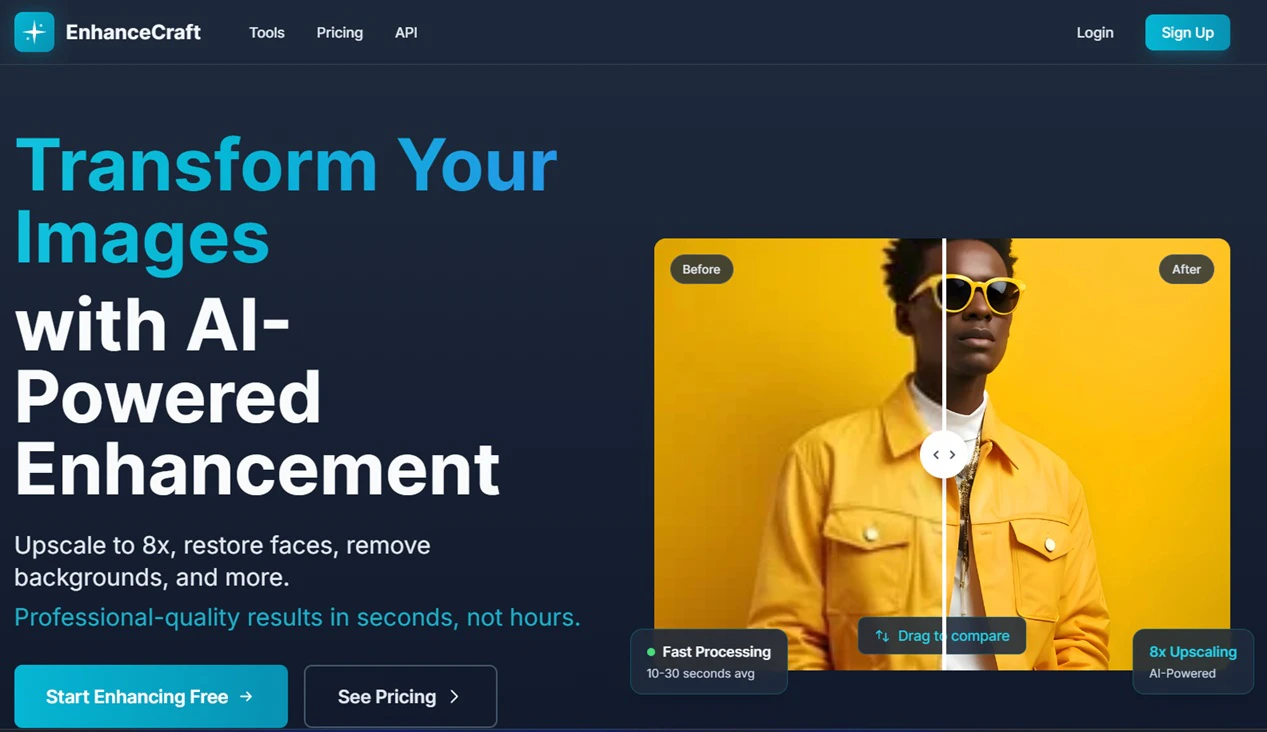
EnhanceCraft is a web-based AI image toolkit — 24 tools, three workflows, one tab. Enhance photos with 8x upscale, background removal, old-photo restore, denoise, dehaze. Make marketplace-ready product shots in one click: Amazon/Shopify export, ghost mannequin, reflection shadow. Transform real-estate listings with day-to-dusk twilight, virtual staging, sky replacement, and window pull. Batch 25–500 images, plus an API. 25 free credits every month — no install, no watermark, no credit card.
I'm Munib, maker of EnhanceCraft. I built this because I was tired of juggling five different tools — one for background removal, another for upscaling, another for face fix — and paying for desktop software I only used twice a month.
What EnhanceCraft is
A web-based AI image toolkit with 24 tools for three different workflows. No install. Works on Mac, Windows, Chromebook. Three workflows under one roof are:
Photo enhancement: 8x upscaling (yes, 8x), Face Restoration, Old Photo Restore, Denoise, Deblur, Dehaze, Object & Text Removal, Anime Upscale.
Virtual staging works best on empty, well-lit rooms
Launch offer for PH
Start free (25 credits/month, no card): EnhanceCraft — and if you upgrade, code PRODUCTHUNT gets you 30% off your first month on Starter or Pro (through Jul 05).
I'd love your feedback on:
Which workflow fits you — photo, product, or real estate?
How does pricing feel vs. your current tools / outsourcing for your workflow?
Anything broken on mobile or first signup?
I'll be here all day replying to every comment. Thank you for checking us out.
About EnhanceCraft - AI Image Toolkit on Product Hunt
“All-in-one AI image toolkit — upscale, restore, enhance”
EnhanceCraft - AI Image Toolkit was submitted on Product Hunt and earned 7 upvotes and 3 comments, placing #30 on the daily leaderboard. EnhanceCraft is a web-based AI image toolkit — 24 tools, three workflows, one tab. Enhance photos with 8x upscale, background removal, old-photo restore, denoise, dehaze. Make marketplace-ready product shots in one click: Amazon/Shopify export, ghost mannequin, reflection shadow. Transform real-estate listings with day-to-dusk twilight, virtual staging, sky replacement, and window pull. Batch 25–500 images, plus an API. 25 free credits every month — no install, no watermark, no credit card.
On the analytics side, EnhanceCraft - AI Image Toolkit competes within SaaS, Photography and E-Commerce — topics that collectively have 230.4k followers on Product Hunt. The dashboard above tracks how EnhanceCraft - AI Image Toolkit performed against the three products that launched closest to it on the same day.
Who hunted EnhanceCraft - AI Image Toolkit?
EnhanceCraft - AI Image Toolkit was hunted by Munib Ali Laghari. A “hunter” on Product Hunt is the community member who submits a product to the platform — uploading the images, the link, and tagging the makers behind it. Hunters typically write the first comment explaining why a product is worth attention, and their followers are notified the moment they post. Around 79% of featured launches on Product Hunt are self-hunted by their makers, but a well-known hunter still acts as a signal of quality to the rest of the community. See the full all-time top hunters leaderboard to discover who is shaping the Product Hunt ecosystem.
For a complete overview of EnhanceCraft - AI Image Toolkit including community comment highlights and product details, visit the product overview.

 Munib Ali Laghari
Hey Product Hunt
I'm Munib, maker of EnhanceCraft. I built this because I was tired of juggling five different tools — one for background removal, another for upscaling, another for face fix — and paying for desktop software I only used twice a month.
What EnhanceCraft is
A web-based AI image toolkit with 24 tools for three different workflows. No install. Works on Mac, Windows, Chromebook. Three workflows under one roof are:
Photo enhancement: 8x upscaling (yes, 8x), Face Restoration, Old Photo Restore, Denoise, Deblur, Dehaze, Object & Text Removal, Anime Upscale.
E-commerce product photos: Background Removal, Background Replacement, Product Pipeline (one-click Amazon/Shopify export), Ghost Mannequin for apparel, Reflection & Shadow generator.
Real-estate listing photos: Day-to-dusk twilight conversion, Virtual Staging (furnish empty rooms), Sky Replacement, Window Pull (recover blown-out windows), Real Estate Edit Pack, AI Relight, Perspective Correction.
Also includes batch processing (25–500 images) and an API for Pro users.
Who it's for
Photographers & retouchers who want fast turnaround without Photoshop plugins
Amazon / Etsy / Shopify sellers prepping product photos (Product Pipeline does the whole thing in one click)
Real-estate agents & property photographers (day-to-dusk and virtual staging usually mean outsourcing — this does it in seconds)
Anyone restoring old family photos (still my favorite use case)
What makes it different
Three pro workflows in one tab — most tools do one of these, not all three
Day-to-dusk, virtual staging & window pull in the browser — usually $1–5/photo from outsourcing services
8x upscale in the browser — most web tools stop at 4x
25 free credits every month, watermark-free — no credit card to start
Batch + operation chaining; one-click preset pipelines with bundle pricing
Credit rollover on Starter/Pro subscriptions (up to 3× monthly allocation)
Free forever: crop, resize, compress, convert (0 credits)
Honest limits
Image only — no video enhancement yet
Best for raster photos; vector/PDF not supported
Virtual staging works best on empty, well-lit rooms
Launch offer for PH
Start free (25 credits/month, no card): EnhanceCraft — and if you upgrade, code PRODUCTHUNT gets you 30% off your first month on Starter or Pro (through Jul 05).
I'd love your feedback on:
Which workflow fits you — photo, product, or real estate?
How does pricing feel vs. your current tools / outsourcing for your workflow?
Anything broken on mobile or first signup?
I'll be here all day replying to every comment. Thank you for checking us out.