


This product was not featured by Product Hunt yet.
It will not be visible on their landing page and won't be ranked (cannot win product of the day regardless of upvotes).
Product upvotes vs the next 3
Product comments vs the next 3
Product upvote speed vs the next 3
Product upvotes and comments
Product vs the next 3
DayPin
Native menu-bar sticky notes for Mac — offline, $3 Pro
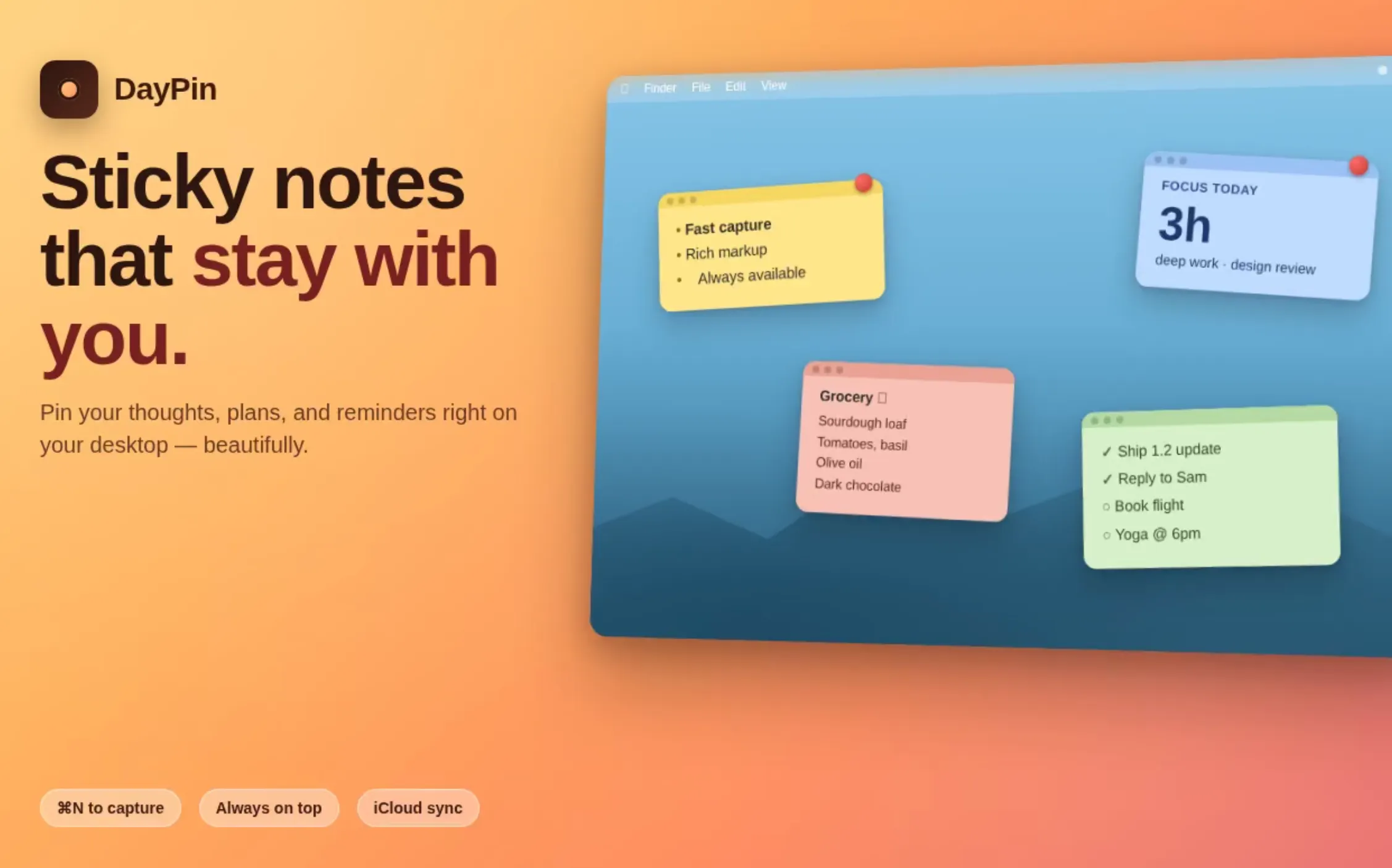
DayPin puts sticky notes on your Mac desktop with one keystroke. Native SwiftUI, universal binary, ~4 MB, no account, no telemetry. FORMAT: bold, italic, underline, checklists, code, quotes, headings. Markdown that hides the markup (WYSIWYG). CAPTURE: global hotkey; menu bar icon; 16 colors + custom picker; click checkboxes to toggle done. PRO ($3 one-time): unlimited pins, iCloud sync, export MD/PDF/TXT, search, JSON tools, custom hotkey, opacity.
About DayPin on Product Hunt
“Native menu-bar sticky notes for Mac — offline, $3 Pro”
DayPin was submitted on Product Hunt and earned 6 upvotes and 6 comments, placing #100 on the daily leaderboard. DayPin puts sticky notes on your Mac desktop with one keystroke. Native SwiftUI, universal binary, ~4 MB, no account, no telemetry. FORMAT: bold, italic, underline, checklists, code, quotes, headings. Markdown that hides the markup (WYSIWYG). CAPTURE: global hotkey; menu bar icon; 16 colors + custom picker; click checkboxes to toggle done. PRO ($3 one-time): unlimited pins, iCloud sync, export MD/PDF/TXT, search, JSON tools, custom hotkey, opacity.
On the analytics side, DayPin competes within Mac, Productivity and Notes — topics that collectively have 777.1k followers on Product Hunt. The dashboard above tracks how DayPin performed against the three products that launched closest to it on the same day.
Who hunted DayPin?
DayPin was hunted by Jay. A “hunter” on Product Hunt is the community member who submits a product to the platform — uploading the images, the link, and tagging the makers behind it. Hunters typically write the first comment explaining why a product is worth attention, and their followers are notified the moment they post. Around 79% of featured launches on Product Hunt are self-hunted by their makers, but a well-known hunter still acts as a signal of quality to the rest of the community. See the full all-time top hunters leaderboard to discover who is shaping the Product Hunt ecosystem.
For a complete overview of DayPin including community comment highlights and product details, visit the product overview.
Hey Product Hunt 👋
I built DayPin as my daily scratch-pad after burning out on trying to use Notion/Obsidian for two-second thoughts. Sticky notes are the right tool — Apple's Stickies is close but stuck in 2005.
Design bets:
• Zero-friction capture. ⌘⇧N must open in <200ms or the thought is gone
• WYSIWYG markdown — rich editor feel, plain-text portability
• One-time $3 for Pro. Mac utilities should not cost $60/year
• Offline-first. iCloud sync is opt-in (Pro), never default
• Real free tier: 5 pinned notes is more than most people need
Just shipped in 1.2: select any text and a formatting bar comes up — bold, italic, underline, strikethrough, code, color — plus turning any line into a heading and back. ⌘B / ⌘I / ⌘U bound.
🎁 100 Pro codes for PH hunters — #001-025 below, #026-100 in the replies. Click → App Store opens → "Redeem" → done.
#001 https://apps.apple.com/redeem?ctx=offercodes&id=6762507882&code=3AAWJKYAEJTWRF33P3
#002 https://apps.apple.com/redeem?ctx=offercodes&id=6762507882&code=3H3YAAFMKPJXWE8JRY
#003 https://apps.apple.com/redeem?ctx=offercodes&id=6762507882&code=3H4XK7H7FTYEEWPKEL
#004 https://apps.apple.com/redeem?ctx=offercodes&id=6762507882&code=3H7TAXTF4AJFTMPYFH
#005 https://apps.apple.com/redeem?ctx=offercodes&id=6762507882&code=3HTLM8N46MYW36E7JE
#006 https://apps.apple.com/redeem?ctx=offercodes&id=6762507882&code=3JA6HFR3R3LNR3EFRN
#007 https://apps.apple.com/redeem?ctx=offercodes&id=6762507882&code=3JE8MX3WK6F46PE6NN
#008 https://apps.apple.com/redeem?ctx=offercodes&id=6762507882&code=3KMXPK3RLTPJRN6473
#009 https://apps.apple.com/redeem?ctx=offercodes&id=6762507882&code=3P44M8TL8JLJ6PWXRE
#010 https://apps.apple.com/redeem?ctx=offercodes&id=6762507882&code=3PMP74RRHJ6KW8X7MA
#011 https://apps.apple.com/redeem?ctx=offercodes&id=6762507882&code=3R6EE3W7E6JA74PN63
#012 https://apps.apple.com/redeem?ctx=offercodes&id=6762507882&code=3RTNHLYJLN7ANJM8FR
#013 https://apps.apple.com/redeem?ctx=offercodes&id=6762507882&code=3YLPFXH3JFWT6F8YJ8
#014 https://apps.apple.com/redeem?ctx=offercodes&id=6762507882&code=438TML7P3HLP8YK36A
#015 https://apps.apple.com/redeem?ctx=offercodes&id=6762507882&code=43RE4MA4ELPRPFJMKN
#016 https://apps.apple.com/redeem?ctx=offercodes&id=6762507882&code=44JYA4TJE8MAX33XNJ
#017 https://apps.apple.com/redeem?ctx=offercodes&id=6762507882&code=46KATNPHM33EJT6Y3W
#018 https://apps.apple.com/redeem?ctx=offercodes&id=6762507882&code=46KHTJWFKEJ67TJTHL
#019 https://apps.apple.com/redeem?ctx=offercodes&id=6762507882&code=46PLLEYLY74F47L3J6
#020 https://apps.apple.com/redeem?ctx=offercodes&id=6762507882&code=4FPX7YF3H6MMKWNTWF
#021 https://apps.apple.com/redeem?ctx=offercodes&id=6762507882&code=4HLPJAAYEWEPXH4PYR
#022 https://apps.apple.com/redeem?ctx=offercodes&id=6762507882&code=4JF4MM477XHY3YTYAA
#023 https://apps.apple.com/redeem?ctx=offercodes&id=6762507882&code=4JWYFE3MNLM6RNJ4E3
#024 https://apps.apple.com/redeem?ctx=offercodes&id=6762507882&code=4KAEFR3FJ6EXWEEXFK
#025 https://apps.apple.com/redeem?ctx=offercodes&id=6762507882&code=4NYRERYJKJTL8LYNW6
Reply with "used #NNN" so others know which are gone.
Would love feedback on:
1. The hidden-markup rendering (edge cases with nested emphasis?)
2. What Pro feature you'd want next
Here all launch day — AMA about the SwiftUI + AppKit hybrid, the Carbon RegisterEventHotKey trick for sandboxed global hotkeys, or why the paper-texture render got rewritten three times.
— Jay