This product was not featured by Product Hunt yet. It will not be visible on their landing page and won't be ranked (cannot win product of the day regardless of upvotes).
Product upvotes vs the next 3
Waiting for data. Loading
Product comments vs the next 3
Waiting for data. Loading
Product upvote speed vs the next 3
Waiting for data. Loading
Product upvotes and comments
Waiting for data. Loading
Product vs the next 3
Loading
claude-ticker for Claude Code CLI
Status bar for Claude Code workspace, token, limits and more
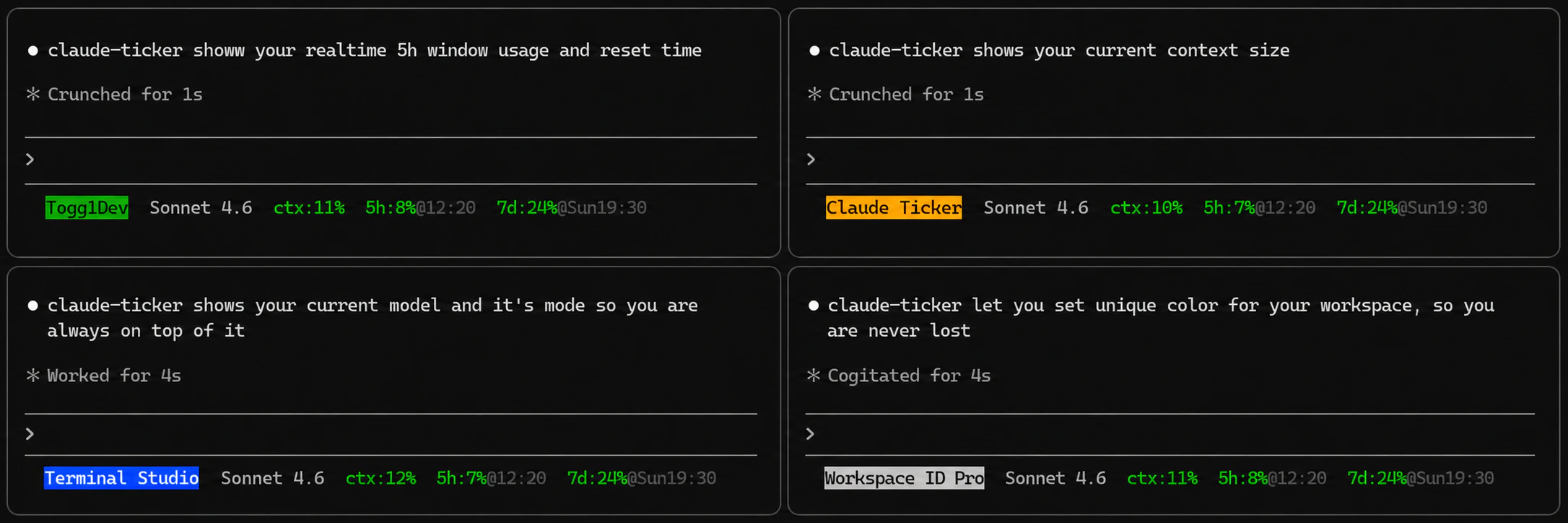
Never get lost in multiple Claude Code sessions while multitasking. claude-ticker puts your active workspace, working git directory, context size, and session limits directly in your CLI status line—with zero token cost and up to 20 customizable properties.
Hey Product Hunt! 👋
If you’ve been using Anthropic's new terminal tool, Claude Code, you already know how powerful it is for jumping straight into codebases. But if you’re multitasking across multiple projects, it’s incredibly easy to get lost in an ocean of open terminal sessions.
Every time you have to run a sanity check to see which directory or branch you are on, it adds to your mental context-switching tax.
I built claude-ticker to solve exactly this. It gives you a dedicated, highly customizable status line right inside your Claude Code CLI sessions so you always know where you are at a glance.
Why use it?
🧠 Zero Mental Context Switching: Your current working directory and active setup workspaces are always right in front of you.
🪙 Zero Token Cost: Keep track of your session limits and current context size without wasting precious API tokens on status checks.
🛠️ Deeply Customizable: Supports up to 20 customizable properties (including git directory state, session limits, and token metrics) to match your exact terminal workflow.
Get started in 5 seconds:
Bash
npm install -g claude-ticker
claude-ticker init
It is completely open-source and free to use. I’d love to hear your thoughts, feedback, or any feature requests you have to make terminal-based AI workflows smoother!
NPM: https://www.npmjs.com/package/cl...
About claude-ticker for Claude Code CLI on Product Hunt
“Status bar for Claude Code workspace, token, limits and more”
claude-ticker for Claude Code CLI was submitted on Product Hunt and earned 0 upvotes and 1 comments, placing #155 on the daily leaderboard. Never get lost in multiple Claude Code sessions while multitasking. claude-ticker puts your active workspace, working git directory, context size, and session limits directly in your CLI status line—with zero token cost and up to 20 customizable properties.
On the analytics side, claude-ticker for Claude Code CLI competes within Open Source, Developer Tools, GitHub and Tech — topics that collectively have 1.3M followers on Product Hunt. The dashboard above tracks how claude-ticker for Claude Code CLI performed against the three products that launched closest to it on the same day.
Who hunted claude-ticker for Claude Code CLI?
claude-ticker for Claude Code CLI was hunted by dpkay. A “hunter” on Product Hunt is the community member who submits a product to the platform — uploading the images, the link, and tagging the makers behind it. Hunters typically write the first comment explaining why a product is worth attention, and their followers are notified the moment they post. Around 79% of featured launches on Product Hunt are self-hunted by their makers, but a well-known hunter still acts as a signal of quality to the rest of the community. See the full all-time top hunters leaderboard to discover who is shaping the Product Hunt ecosystem.
For a complete overview of claude-ticker for Claude Code CLI including community comment highlights and product details, visit the product overview.

 dpkay
dpkay