This product was not featured by Product Hunt yet. It will not be visible on their landing page and won't be ranked (cannot win product of the day regardless of upvotes).
Product upvotes vs the next 3
Waiting for data. Loading
Product comments vs the next 3
Waiting for data. Loading
Product upvote speed vs the next 3
Waiting for data. Loading
Product upvotes and comments
Waiting for data. Loading
Product vs the next 3
Loading
Bitrovo: Bitrix Panel
Manage Bitrix servers in a browser, not an SSH menu
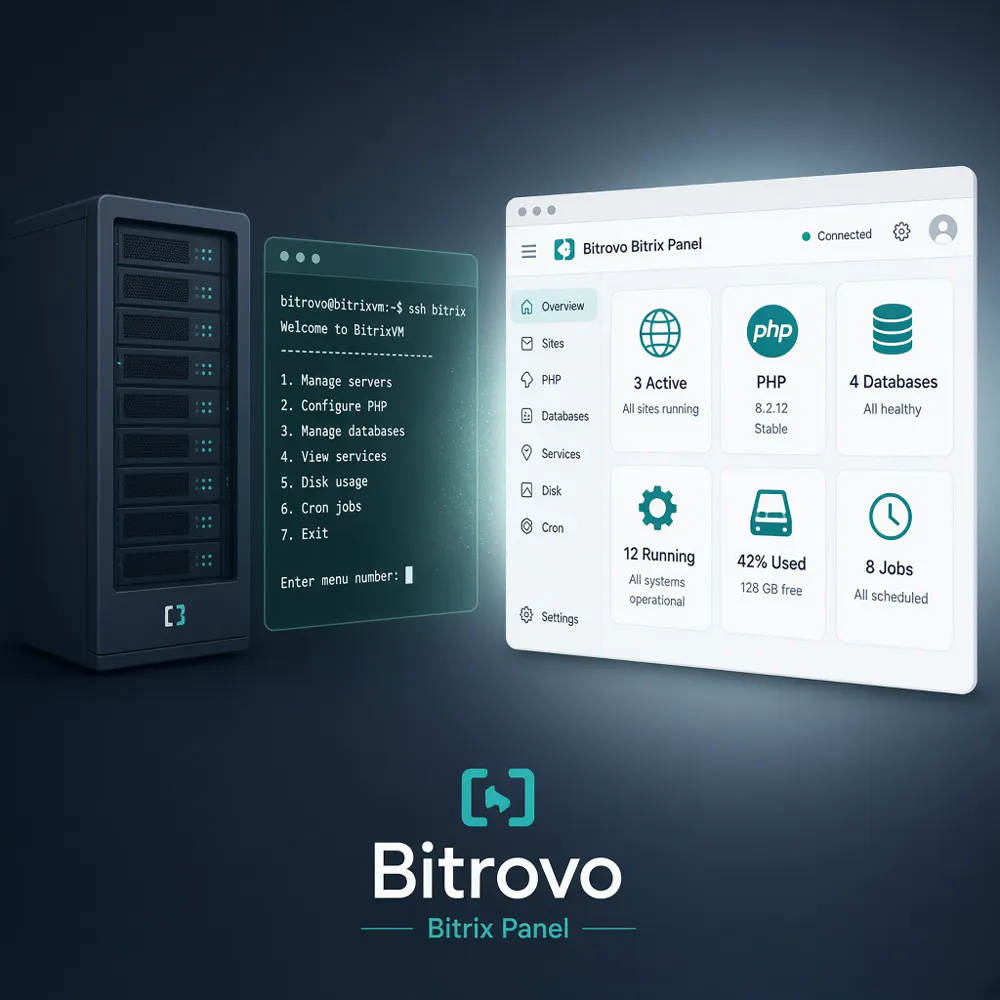
Bitrix servers are often managed via an SSH menu. Hosting panels tend to rewrite nginx and take over port 443 — risky on production. Bitrovo is a free web panel for Bitrix / Bitrix24 servers: sites, PHP, databases, services, disk, crontab, and support. It installs next to live sites, not on top of them. Signed releases, dry-run install, rollback on failure. If 443 is busy, it uses its own HTTPS port.
Hey Product Hunt 👋
What inspired me: years of running production 1C-Bitrix / Bitrix24 servers. The “official” way is still SSH as root, run /root/menu.sh, and click through a numbered BitrixVM menu for PHP, sites, services, and cron. It works — but it’s slow, easy to mis-click, and awful if you’re not living in a terminal.
What problem I was solving: Bitrix servers already have a stack (nginx, PHP-FPM, MariaDB, Redis, sites on 443). What’s missing is a safe web UI for day-to-day ops. Generic hosting panels want to own the machine: rewrite vhosts, grab port 443, assume a clean server. That’s unacceptable on a live shop.
How the approach evolved: I first tried wrapping the BitrixVM menu in a browser. That idea died fast — you inherit its surprises and it still feels like a terminal. So Bitrovo became its own control plane, installed beside Bitrix, not on top of it.
The real design work became a list of non-goals: don’t run apt upgrade, don’t rewrite existing nginx configs, don’t become default_server on 443, and if health-check fails — roll everything back. Releases are signed, install can dry-run first, the API listens on localhost only, and the first admin is created with a one-time bootstrap token from the server.
Today Bitrovo: Bitrix Panel lets you manage sites, PHP, databases, services, disk, crontab, background jobs, and support tickets from the browser — without migrating the server and without production surprises.
Would love your feedback, especially from anyone who’s lived inside BitrixVM.
About Bitrovo: Bitrix Panel on Product Hunt
“Manage Bitrix servers in a browser, not an SSH menu”
Bitrovo: Bitrix Panel was submitted on Product Hunt and earned 0 upvotes and 1 comments, placing #87 on the daily leaderboard. Bitrix servers are often managed via an SSH menu. Hosting panels tend to rewrite nginx and take over port 443 — risky on production. Bitrovo is a free web panel for Bitrix / Bitrix24 servers: sites, PHP, databases, services, disk, crontab, and support. It installs next to live sites, not on top of them. Signed releases, dry-run install, rollback on failure. If 443 is busy, it uses its own HTTPS port.
On the analytics side, Bitrovo: Bitrix Panel competes within User Experience, Developer Tools, GitHub and Development — topics that collectively have 938.6k followers on Product Hunt. The dashboard above tracks how Bitrovo: Bitrix Panel performed against the three products that launched closest to it on the same day.
Who hunted Bitrovo: Bitrix Panel?
Bitrovo: Bitrix Panel was hunted by Artem Bratko. A “hunter” on Product Hunt is the community member who submits a product to the platform — uploading the images, the link, and tagging the makers behind it. Hunters typically write the first comment explaining why a product is worth attention, and their followers are notified the moment they post. Around 79% of featured launches on Product Hunt are self-hunted by their makers, but a well-known hunter still acts as a signal of quality to the rest of the community. See the full all-time top hunters leaderboard to discover who is shaping the Product Hunt ecosystem.
For a complete overview of Bitrovo: Bitrix Panel including community comment highlights and product details, visit the product overview.

 Artem Bratko