This product was not featured by Product Hunt yet. It will not be visible on their landing page and won't be ranked (cannot win product of the day regardless of upvotes).
Product upvotes vs the next 3
Waiting for data. Loading
Product comments vs the next 3
Waiting for data. Loading
Product upvote speed vs the next 3
Waiting for data. Loading
Product upvotes and comments
Waiting for data. Loading
Product vs the next 3
Loading
Almanac Board
Turn your old Android tablet into a smart wall calendar
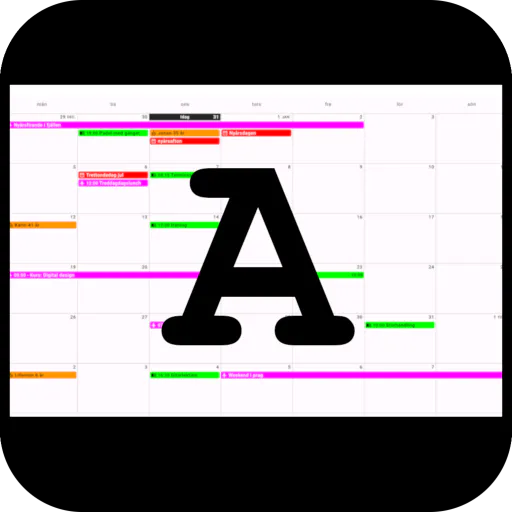
Almanac Board transforms old Android tablets into clean, local-first digital wall calendars. It syncs seamlessly via webcal/ICS links with Google, Outlook, and iCloud, runs smoothly on older hardware (Android 8.0+), and features an optional command-center sidebar with clock, weather, and RSS feeds.
Hey Product Hunt.
I am David, an independent developer. I built Almanac Board because I had an older Android tablet just gathering dust in a drawer. It still worked fine, but it felt too slow for heavy modern apps. Since I love my MagicMirror setup at home, I wanted something simple that just works without a complex DIY build.
What it does:
Almanac Board transforms unused Android tablets into dedicated digital wall calendars and home dashboards. It is designed specifically for larger screens, giving households and individuals a clean overview of their schedule right from the kitchen wall or hallway desk.
Key Features and Tech Specs:
Flexible Calendar Sync connects seamlessly with Google Calendar, Microsoft Outlook, Apple iCloud, and standard webcal or ICS links so your schedule updates automatically.
Color Coding and Birthdays help you keep track of different family members easily with color coded events, alongside an automatic birthday tracker with age calculation.
Privacy First design means all calendar data is processed and stored locally on your device with no cloud storage or unnecessary account setups required.
Revive Old Tech performance optimization features a smart cache strategy that runs smoothly on older hardware supporting Android 8.0 and newer.
The Command Center unlocks an advanced premium sidebar featuring a built in clock, live weather forecasts, RSS news feeds, and more.
It is my first app ever, and it is available now on Google Play. I built this to solve a real everyday problem, and I would love to hear what you think, answer any technical questions about how I built it in Kotlin, or hear your feedback. Thanks for checking it out.
About Almanac Board on Product Hunt
“Turn your old Android tablet into a smart wall calendar”
Almanac Board was submitted on Product Hunt and earned 0 upvotes and 1 comments, placing #72 on the daily leaderboard. Almanac Board transforms old Android tablets into clean, local-first digital wall calendars. It syncs seamlessly via webcal/ICS links with Google, Outlook, and iCloud, runs smoothly on older hardware (Android 8.0+), and features an optional command-center sidebar with clock, weather, and RSS feeds.
On the analytics side, Almanac Board competes within Android, Productivity and Calendar — topics that collectively have 753.5k followers on Product Hunt. The dashboard above tracks how Almanac Board performed against the three products that launched closest to it on the same day.
Who hunted Almanac Board?
Almanac Board was hunted by David Canevarolo. A “hunter” on Product Hunt is the community member who submits a product to the platform — uploading the images, the link, and tagging the makers behind it. Hunters typically write the first comment explaining why a product is worth attention, and their followers are notified the moment they post. Around 79% of featured launches on Product Hunt are self-hunted by their makers, but a well-known hunter still acts as a signal of quality to the rest of the community. See the full all-time top hunters leaderboard to discover who is shaping the Product Hunt ecosystem.
For a complete overview of Almanac Board including community comment highlights and product details, visit the product overview.

 David Canevarolo